Snapchat has this feature; most people don’t really use private stories. A friend of mine mentioned it offhand and I tried it out mostly out of curiosity. Turned out to be really practical. You basically get to post things for a specific group without it showing up for everyone else. And if someone added you to their private story and you’d rather opt out, that’s covered here too.
What Actually Is a Private Story?
A private story is yours visible only to whoever you want. You hand pick the people, and that’s literally the only list that can see it. Regular followers? They won’t even know the story is there. No algorithm, no defaults, just you deciding who’s in.
You’re the one managing it the whole time. Add someone, remove someone from your call. Just keep in mind that only whoever created the story can post it. So if you’re on a friend’s private story as a viewer, you can watch their snaps but you can’t contribute anything. You’d need your own private story for that.
Same old story with snaps disappearing though 24 hours and they’re gone. The story itself stays until you take it down.
How to Make a Private Story
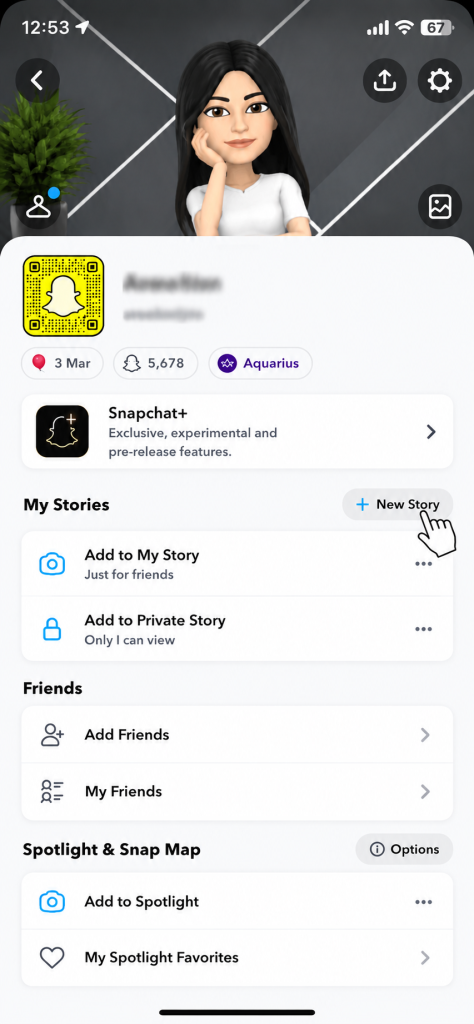
- Tap your bitmoji or profile icon up in the top left.

- Scroll down to where it says My Stories. Hit the +New Story button.

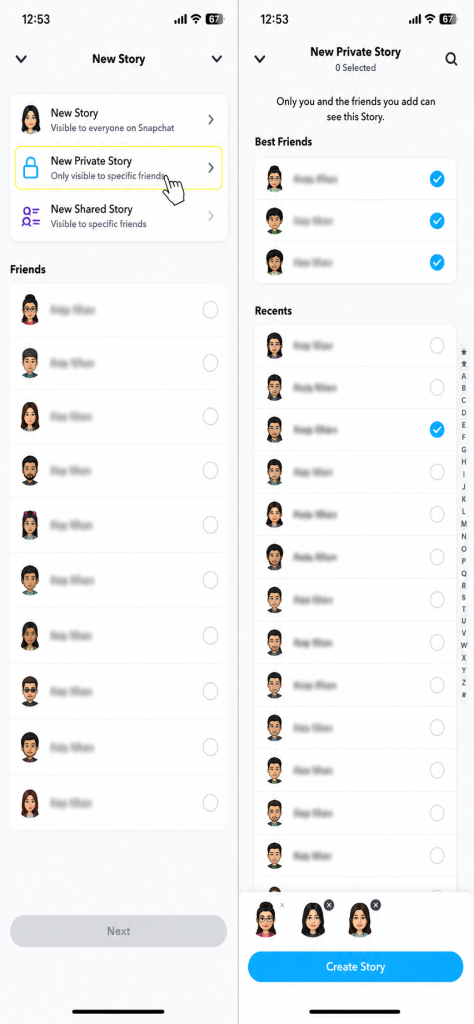
- Select New Private Story and choose the friends you want to include.
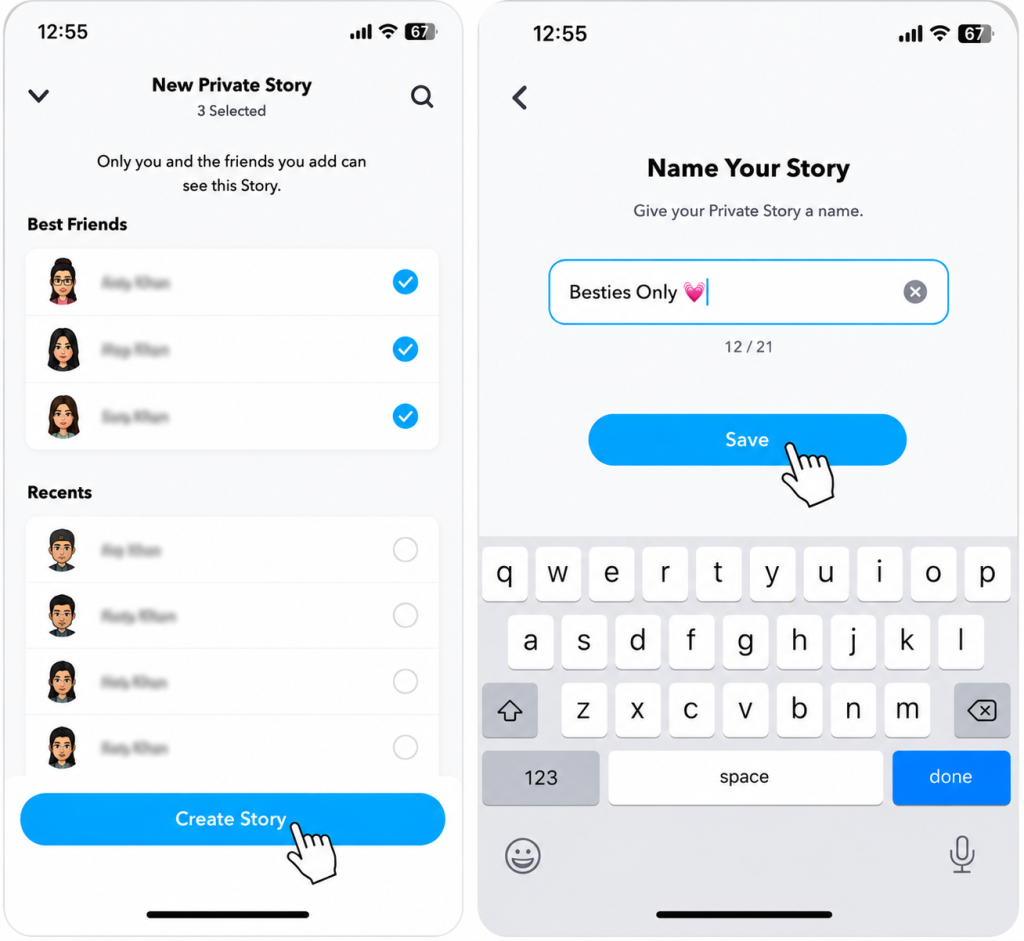
- Tap Create Story, give it a name and hit Save.
That’s the whole setup. Whenever you want to post something to it, head back to My Stories and tap Add to Private Story. Done.
Worth knowing you aren’t stuck with just one. Running two or three private stories at the same time is totally fine. Most people keep separate ones for friend groups versus family. Each one has its own list.
How to Add or Remove People from Your Private Story
- Tap your bitmoji or profile icon up in the top left.
- Find the private story under My Stories, tap the three dots next to it.
- Hit View Story Settings.
- Open the friends list.
- Check whoever you’re adding, uncheck whoever you’re removing.
- Hit Save.
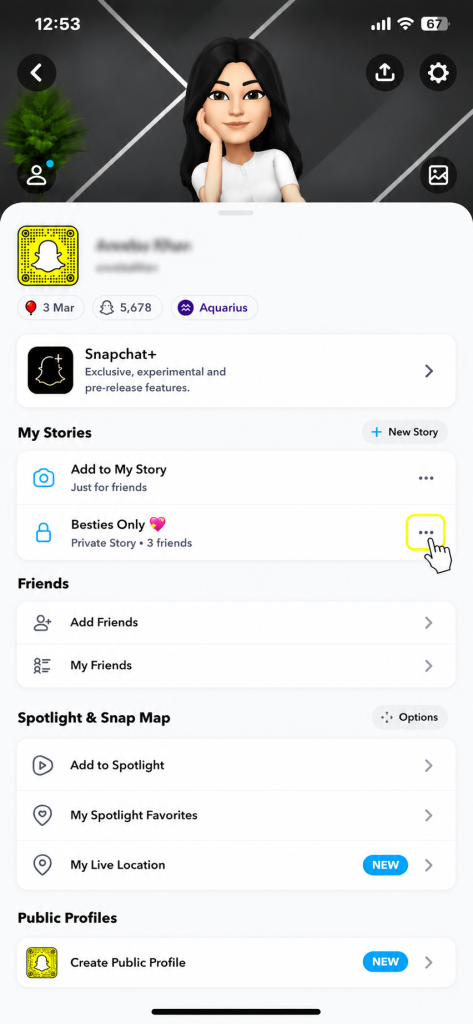
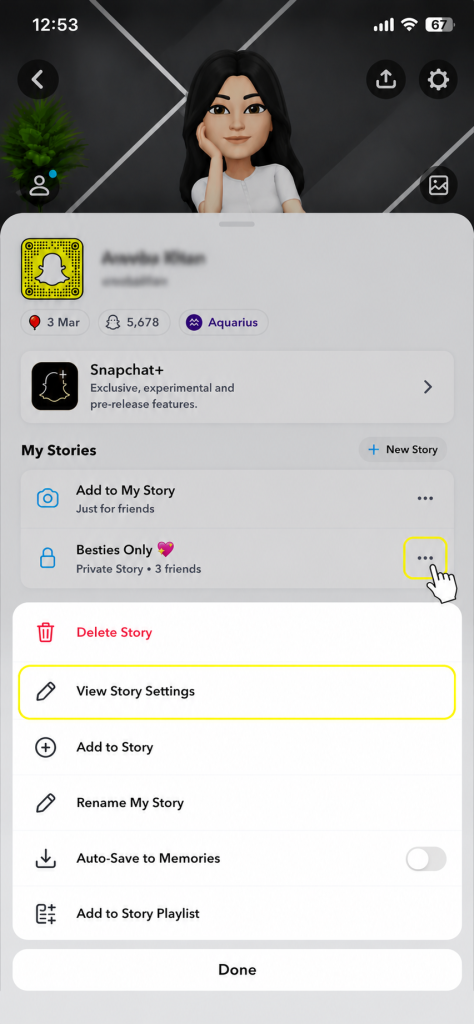
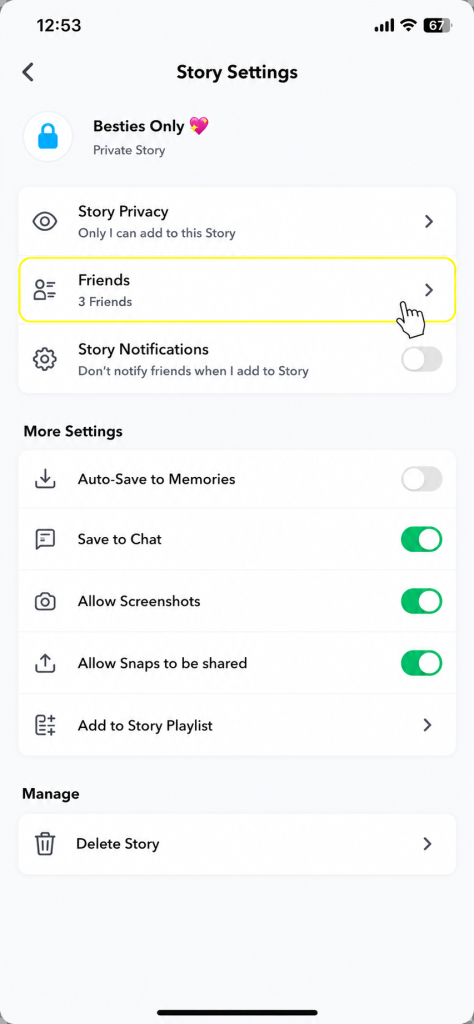
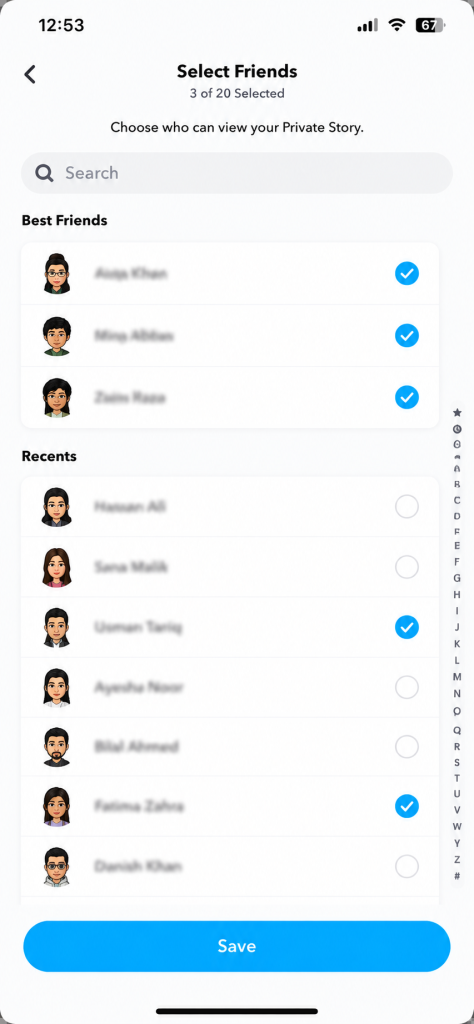
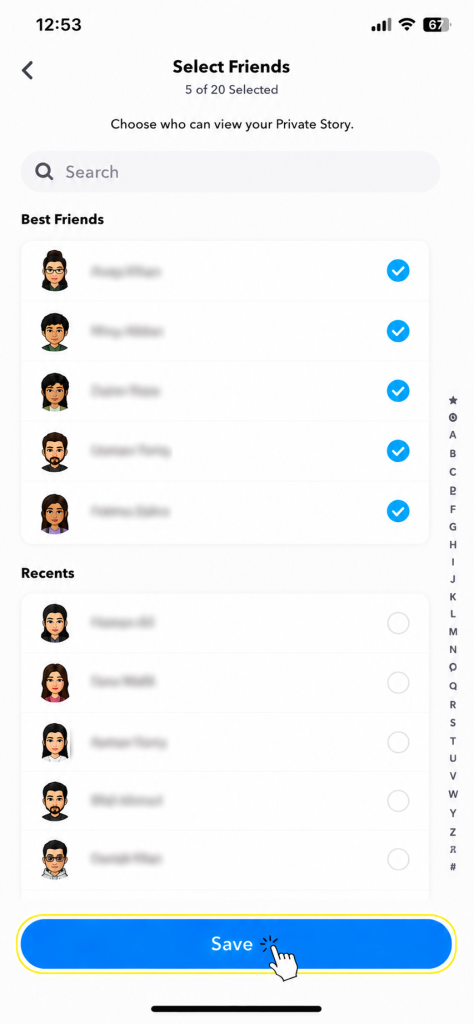
The second you remove someone, access is cut no notification goes to them, they just stop seeing your story.
How to Leave Someone Else’s Private Story
- Open Snapchat and go to the Chat screen.
- Find the person whose story you want to leave.
- Press and hold on their name, then tap Story Settings.
- Select Leave Private Story.
- Confirm by tapping Leave.
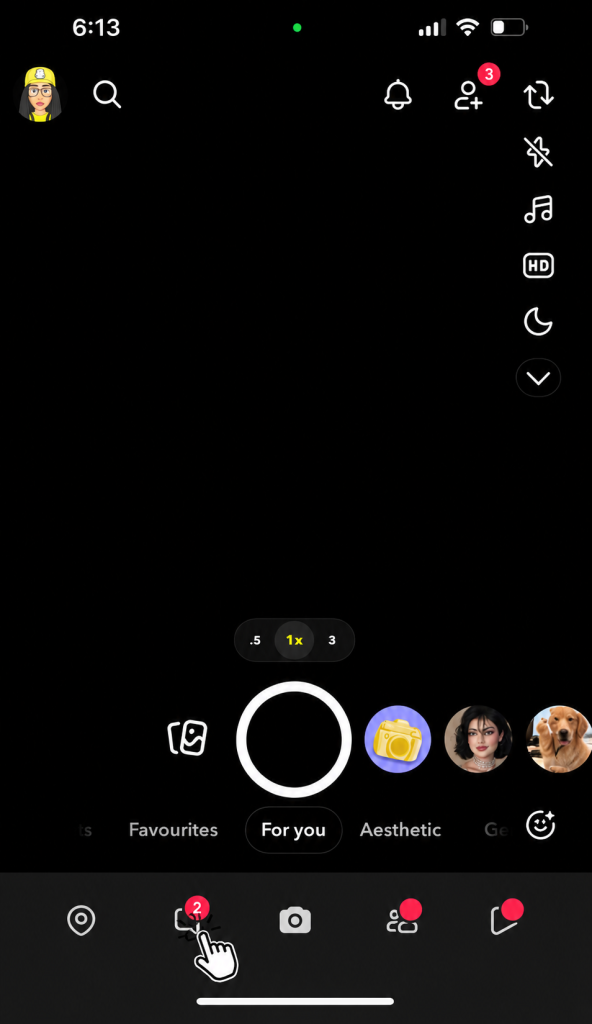
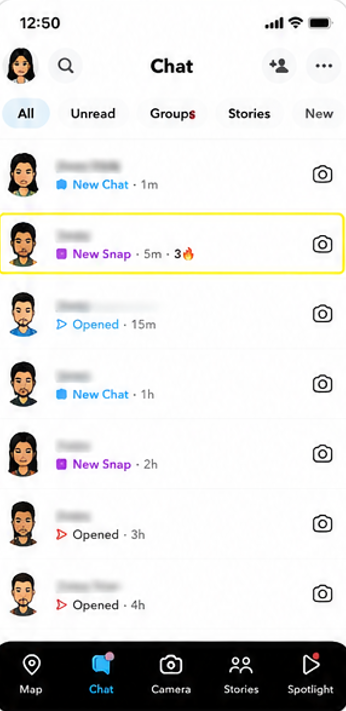
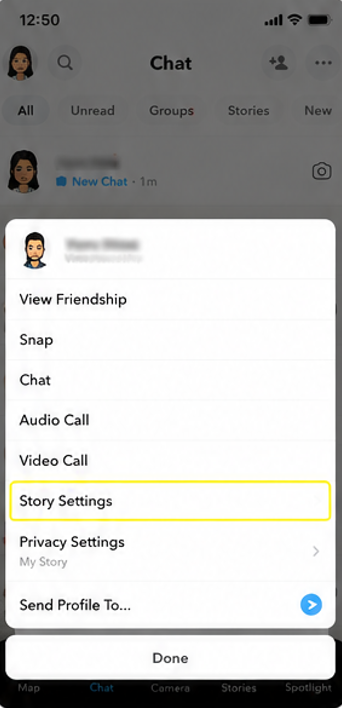
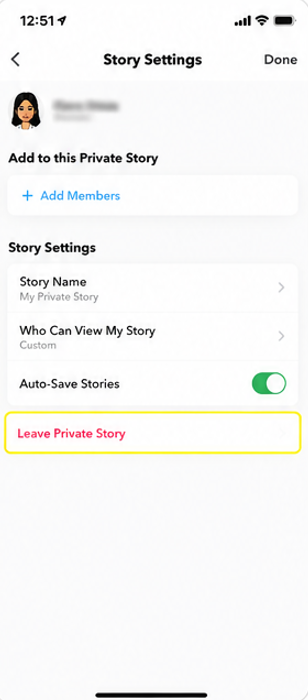
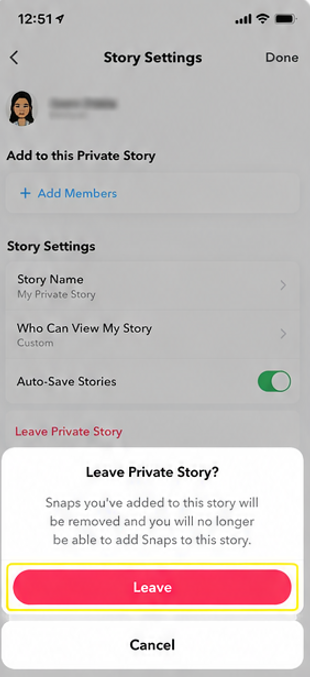
The story owner gets zero alert that you left. They’d only figure it out if they went and looked at their viewer list on their own. Once you’re off, the story drops from your feed. If they ever add you back, it’ll reappear. Leaving doesn’t block anyone or affect anything else between you two.
How to Delete Your Own Private Story
- Open Snapchat and tap your profile icon in the top left.
- Scroll down to the My Stories section. Find your Private Story and tap the three dots next to it.
- Tap Delete Story.
- Confirm by tapping Delete again.
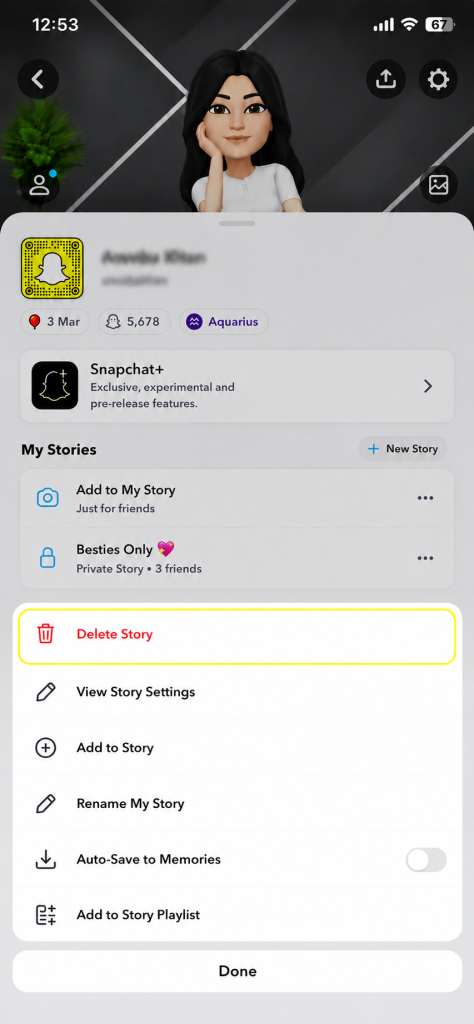
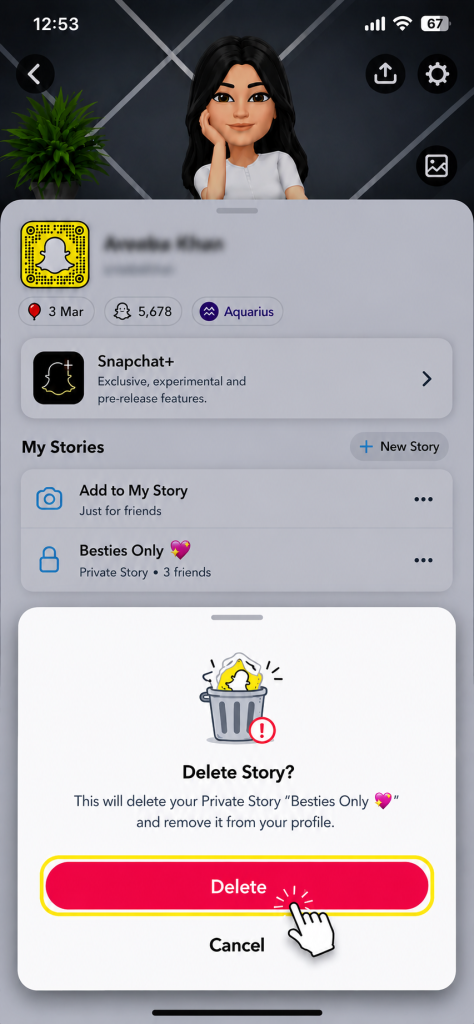
That’s permanent there’s no getting it back. If you just want to get rid of one snap without deleting the entire thing, long press that specific snap and delete only that piece.
Frequently Asked Questions
Q – Will snaps on a private story last more than 24 hours?
No. Same 24-hour expiry. Private stories only restrict who can view things, not how long they stick around.
Q – Does someone get a notification when I add them to my private story?
No ping, no alert. You can see your full viewer list in story settings, but the people on it don’t get told they were added.
Q – How many private stories can I have at once?
As many as you want no limit that I know of. Each runs independently with its own viewer list.
Q – What happens to older snaps if I remove someone?
Gone for them immediately. Past content, future content, all of it. And they won’t get a heads up that they were removed.
Q – If I leave someone’s story, does it disappear for everyone?
No, just for you. Everyone else on the viewer list still sees it. Only the creator can take it down entirely.
Final Thought
Two minutes to set up, and you get a much more controlled way to share things. Not everything needs to go to your whole list private stories fix that. And if you ended up on one that you’d rather not be part of, leaving is quiet and quick and the other person won’t know unless they go looking.