The username is the one piece of identifying information Snapchat needs. Everything else about finding somebody flows from having that handle right.
The complication is that having a username still leaves questions. Does the account exist? Is it public or private? Is it the right person or a lookalike? Five methods answer each of those. Matching the method to the actual question saves time.
Quick Answer
If you have the exact username, type snapchat.com/add/username into any browser, replacing the last part with the handle. If the profile exists, that URL loads it. For a Public Profile with visible content, story.snapchat.com/username loads the profile page directly. If the account is public, a browser-based Snapchat profile viewer displays the profile without any login. If you are unsure the handle you have is correct, a username finder searches public Snapchat accounts by name or keyword and helps confirm the right one.
One Handle, Two Different Questions
People search for Snapchat profiles by username for two very different reasons. The methods differ.
- Question 1: Does this profile exist?You have a handle and want to know whether an account with that name is on Snapchat at all.
- Question 2: Is this the right person?You have a handle and want to verify it belongs to the person you were told it belongs to.
The first question is fast to answer with a direct URL check. The second needs more information, since a matching handle does not automatically mean matching identity.
The Five Practical Methods, Side by Side
This table compares each method against the situation it fits best.
| Method | App or browser | Works for |
|---|---|---|
| Snapchat in-app search | App | Verified exact usernames |
| snapchat.com/add/username URL | Browser | Checking whether a handle exists |
| Public Profile page | Browser | Any account with a Public Profile |
| Third-party username finder | Browser | Public accounts, no login |
| Cross-platform bio search | Browser | Users active on other platforms |
The middle three methods share a common feature. They work in a browser without any Snapchat login on your side.
Method 1: Direct URL Check via snapchat.com/add
The fastest way to verify a handle exists.
Snapchat publishes an Add URL for every account. The official documentation on adding friends covers this format. Type snapchat.com/add followed by the username and Snapchat responds one of two ways. Either the profile loads with an Add option or you see a message that the account does not exist.
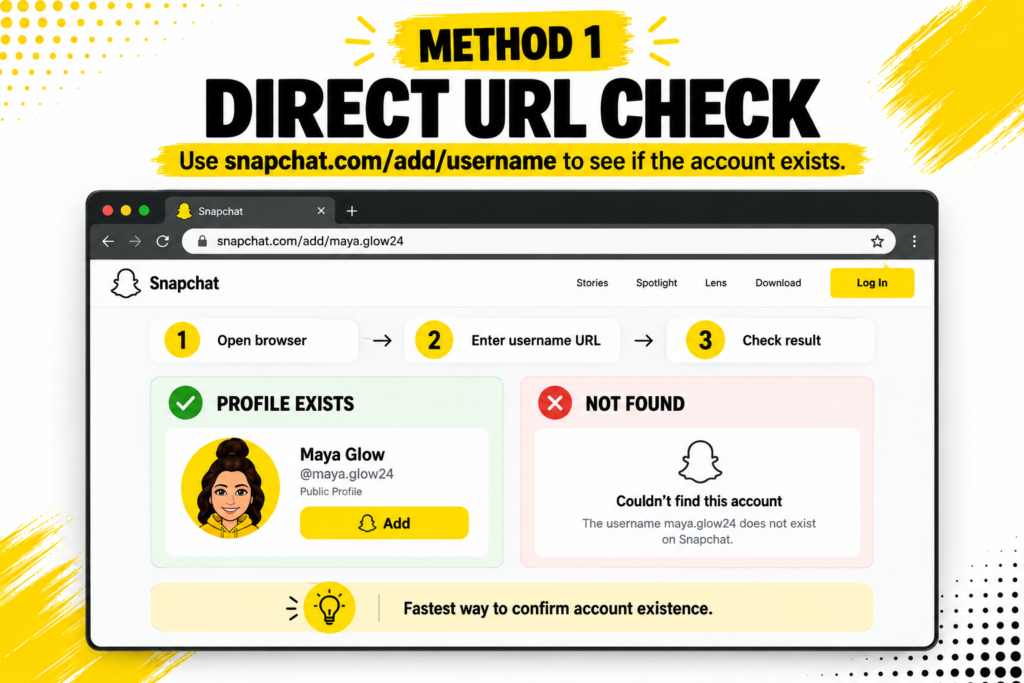
- Open any browser on any device.
- Type snapchat.com/add/ into the address bar.
- Add the username after the last slash.
- Hit Enter and wait for the page to load.
- The response tells you whether the account exists.
- Confirms account existence in seconds.
- Works without any Snapchat account of your own.
- Case-insensitive, so uppercase and lowercase both work.
- Reveals nothing beyond existence unless the account has a Public Profile.
Method 2: The Public Profile URL
When the account you are looking for has a Public Profile, Snapchat publishes a dedicated page at a predictable URL.
ThePublic Profile documentation explains that accounts opted into Public Profiles get a public webpage carrying their Bitmoji, display name, subscriber count, bio and current Stories. The URL sits at story.snapchat.com followed by the username.
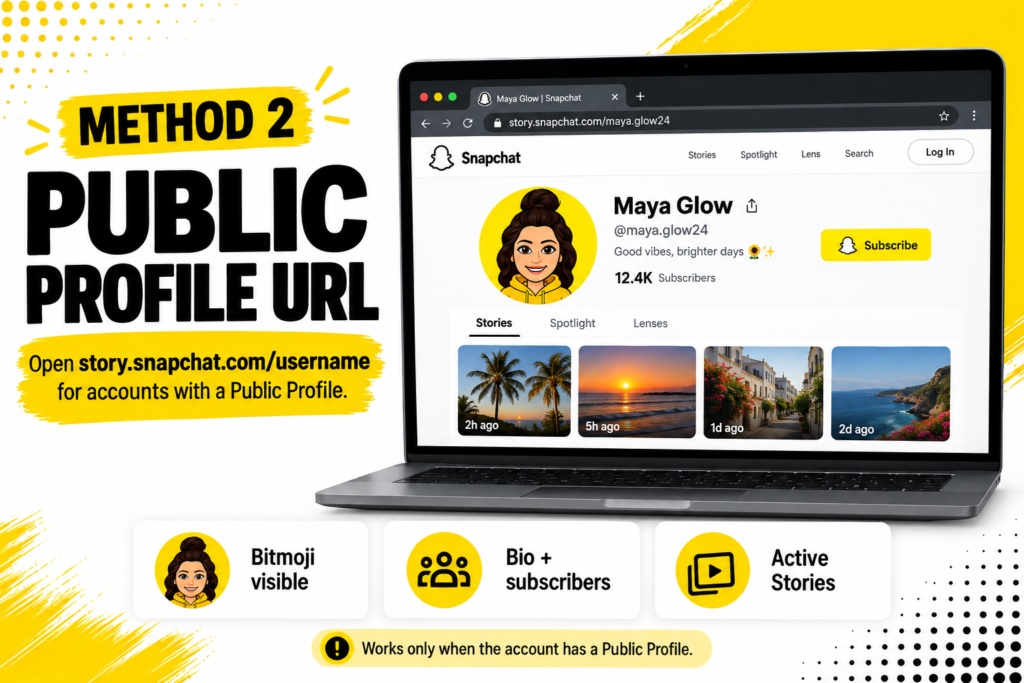
- Loads for any account with an active Public Profile.
- Does not load for accounts that never opted into a Public Profile.
- Bitmoji, display name and bio all appear at their published resolution.
- Active Stories load if the creator posted any in the last 24 hours.
This is the most information-dense route when it applies. It fails only when the account is private or the account holder never enabled the Public Profile toggle.
Method 3: A Browser Profile Viewer
The cleaner route when the raw Snapchat page feels cluttered.
A browser-based profile viewer reads the same Public Profile data Snapchat publishes but presents it without install prompts and marketing overlays. Paste a username, get a clean layout with the Bitmoji, display name, bio, subscriber count and any Stories.
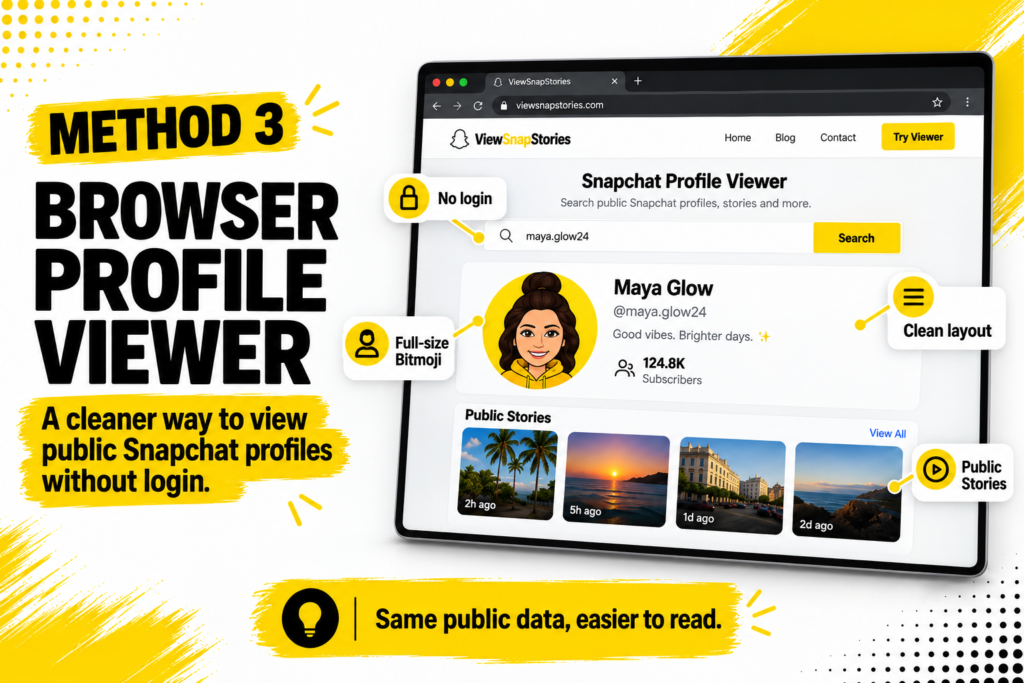
- Same data as the direct URL, presented for reading rather than app promotion.
- No install prompts pushing the Snapchat app.
- Full-resolution Bitmoji instead of the cropped circular version.
- No Snapchat account required on your side.
Method 4: A Username Finder for Fuzzy Matches
This is the method for cases where the username you have might be wrong.
A username finder takes a name, nickname or partial handle and returns public Snapchat accounts that match. Useful when the person told you their handle verbally, when spelling might be off or when they have common name variants.
A dedicatedSnapchat Username Finder searches public Snapchat accounts by name or keyword and returns matching handles you can then verify.
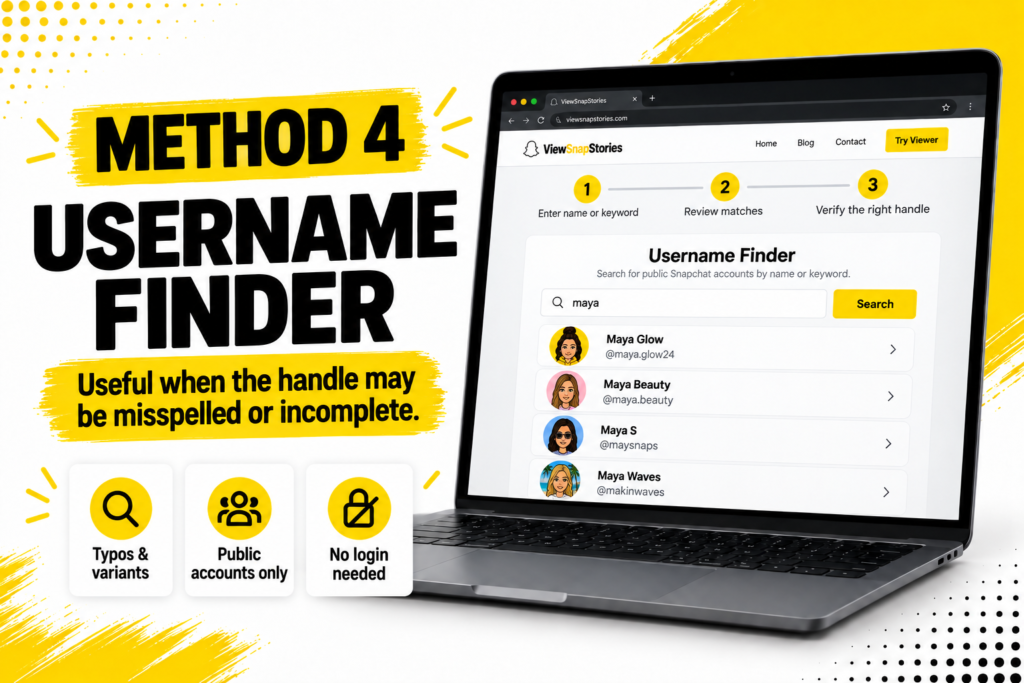
- Handles typos and near-matches better than the direct URL check.
- Useful when you have a name rather than an exact handle.
- Returns only public accounts. Private accounts stay invisible to any external tool.
- No Snapchat login required.
Method 5: Cross-Platform Bio Verification
The most reliable verification method when the person is active on more than one platform.
Many Snapchat users list their handles across Instagram, TikTok, X or LinkedIn bios. Finding the same handle on multiple platforms belonging to the same person is strong evidence the Snapchat account really belongs to them.
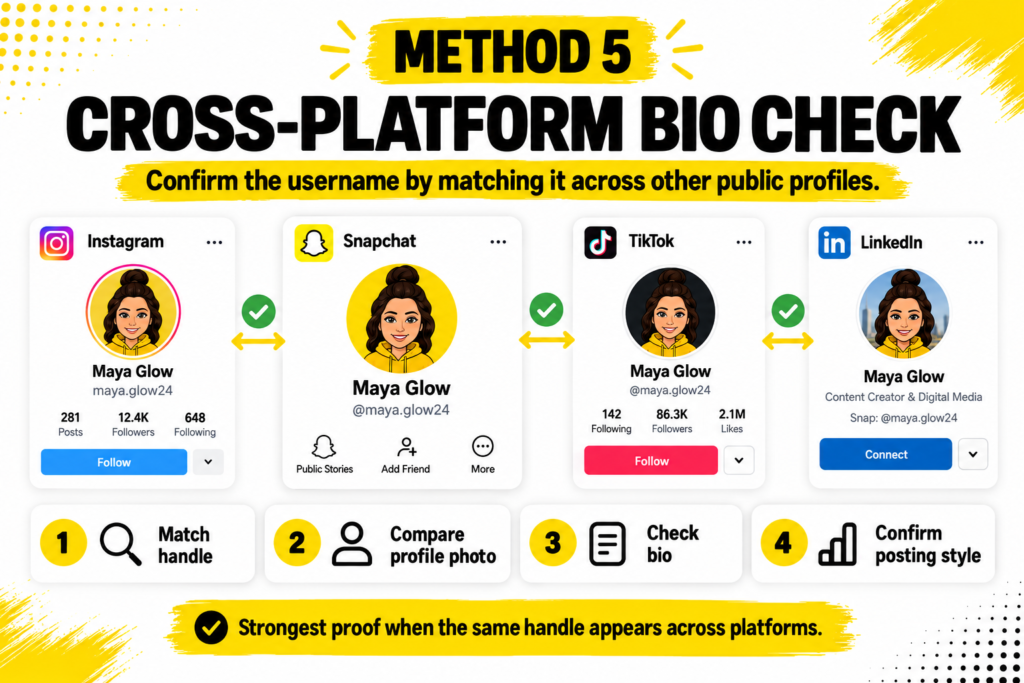
- Search the handle on Instagram, TikTok or LinkedIn.
- Open any matching profile.
- Check the bio for a Snapchat handle mention.
- Compare the bio content, profile picture and posting style with what you know about the person.
- If details match, the Snapchat handle is very likely the right one.
- Strong verification signal when the handle appears on multiple platforms.
- Fails if the person uses a completely different username on Snapchat than elsewhere.
- Business and creator accounts almost always list all their handles somewhere accessible.
Username Versus Display Name: The Underlying Confusion
The single biggest reason Snapchat searches fail.
Snapchat has two identifiers on every account. Its documentation on changing your username explains that usernames are unique permanent identifiers, while display names are free-form text that anybody can copy.
- Username.The @handle. Unique across Snapchat. Cannot be changed more than once per year in most cases.
- Display name.The friendly name shown at the top of the profile. Freely chosen. Multiple accounts can share the same display name.
When somebody says their Snapchat is Jane, they usually mean the display name. When you type Jane into Snapchat search, the platform searches for @Jane as a username first, then falls back to display name matches. That mismatch is why so many name searches surface accounts that look nothing like the person you meant.
When the Handle Does Not Load
Six specific reasons account for most failures.
- The account is private.Private accounts publish nothing to the open web. Only the profile existence can be confirmed through the Add URL.
- The username was changed.Snapchat allows one username change per year in most cases. Old handles stop working the moment the change happens.
- The account was deleted.Deleted accounts remove the handle entirely. It may then be recycled later by a different user.
- The account was banned.Community Guidelines removals take the profile offline.
- The handle was mistyped.Snapchat usernames often include periods, underscores or numbers. A single wrong character produces a not-found result.
- The account never existed.Sometimes the handle you were given is simply wrong.
If the direct URL fails, try the username finder to search for variants. If the finder also returns nothing, the handle probably does not exist.
Verifying You Have the Right Person
Multiple accounts can look similar. Verification checks distinguish the real account from a lookalike.
- Bitmoji comparison.The Bitmoji is customised. Two accounts with the same handle but different Bitmojis are different people.
- Display name match.Should match what you know about the person.
- Bio content.Personal details, business links or self-description often confirm identity.
- Cross-platform verification.The same handle appearing on multiple accounts belonging to the same person is strong evidence.
- Story content.If public Stories are visible, the content should match what you know about the person’s interests.
- Subscriber count.When visible, gives a sense of whether the account is a personal or creator account.
Common Reasons People Search This Way
The reasons are usually mundane rather than dramatic.
- Verifying an account before sending a friend request.
- Confirming a business account is legitimate before making an inquiry.
- Checking whether an old friend still uses Snapchat before reaching out.
- Looking up a creator to view their public content without following them.
- Journalism research on public figures without an identifiable follow appearing on record.
- Parental oversight of the accounts children interact with.
Snapchat Username Search FAQs
Will the account holder know I searched for their username?
No. Snapchat sends no notification for username searches, direct URL checks or public profile views.
Can I find someone if I only have their display name?
Only sometimes. Display names are not unique, so a display name search returns multiple accounts. Combining the display name with a bio detail or Bitmoji check narrows the results.
Is it legal to look up somebody by their Snapchat username?
Yes. Reading a Public Profile Snapchat itself publishes is different from anything that would raise legal concerns.
Can any tool show me a private account’s content?
No. Private Snapchat accounts publish nothing outside the app. Any tool claiming otherwise is either lying or attempting to steal credentials.
One Username, Five Ways to Confirm
Direct URL for existence checks. Public Profile URL for content-rich profiles. Browser viewer for a clean presentation. Username finder for fuzzy matches. Cross-platform bio verification for identity confirmation. Each fits a different situation. Between them almost every practical Snapchat username lookup has a workable answer.
The starting point is knowing which question you are actually trying to answer. Once that is clear, the right method usually picks itself.