Creator time on Snapchat is more constrained than most other platforms. Stories expire in 24 hours. The app rounds numbers, blocks bulk actions and hides analytics until you cross the 50-follower threshold. Competitors cannot be tracked from inside the app at all.
Which means creators who build efficient workflows around browser tools reclaim hours every week that would otherwise disappear into manual, repetitive tasks. This guide covers where creator time actually goes on Snapchat, how specific tool categories compress each task and what a realistic time-saving stack looks like for someone posting consistently.
Quick Answer
Online Snapchat tools save creators 4 to 8 hours per week on average by automating archival, competitor research, follower tracking and content saving. A 15-minute manual Story archival becomes a 3-minute browser workflow. A 25-minute competitor round in the app becomes a 4-minute browser check. Multiplied across daily routines, the compounding time saved often exceeds a full working day per week for active creators.
Where Creator Time Actually Goes
Before talking about tools, worth being honest about where the hours vanish.
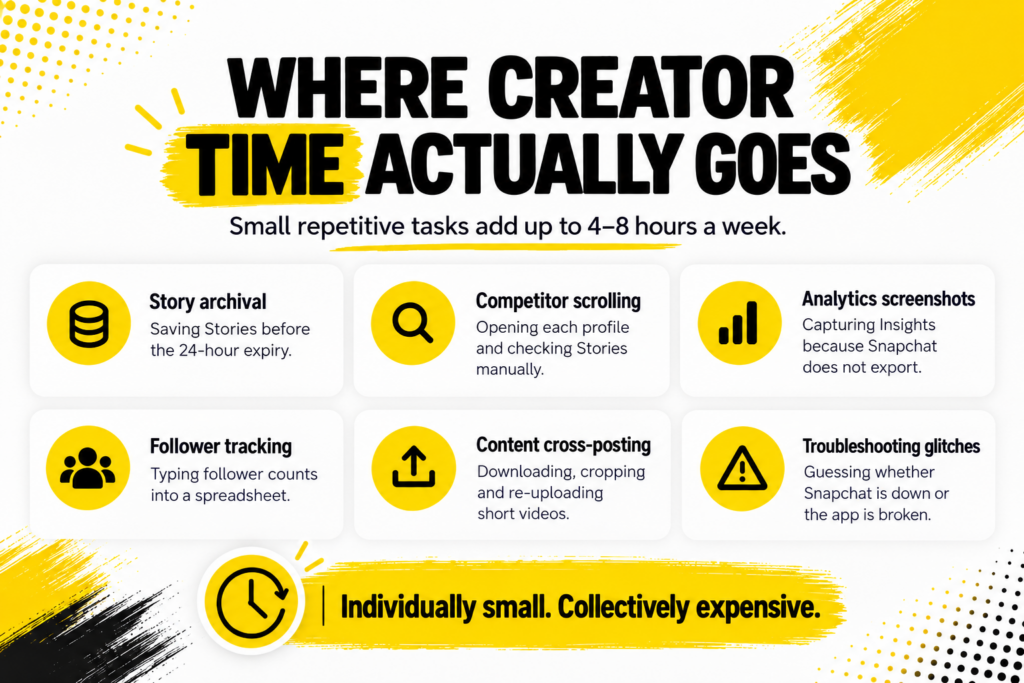
- Story archival.Saving each Story before the 24-hour expiry, one at a time, is the biggest recurring drain.
- Competitor scrolling.Opening the app, searching each competitor, checking their Stories, checking their profile, closing the app. Repeated per competitor.
- Analytics screenshots.Capturing Snapchat Insights numbers manually because the app does not export.
- Follower tracking.Note-taking follower counts weekly in a spreadsheet, entered manually because the app has no export.
- Content cross-posting.Downloading through screen recording, cropping, then re-uploading to Instagram and TikTok.
- Troubleshooting glitches.Restarting the app, clearing cache, reinstalling, only to find out later Snapchat was actually down.
Each of these individually feels small. Together they eat 4 to 8 hours a week for creators posting consistently.
The Manual vs Tool Math
This table lays out the specific time compression for common tasks.
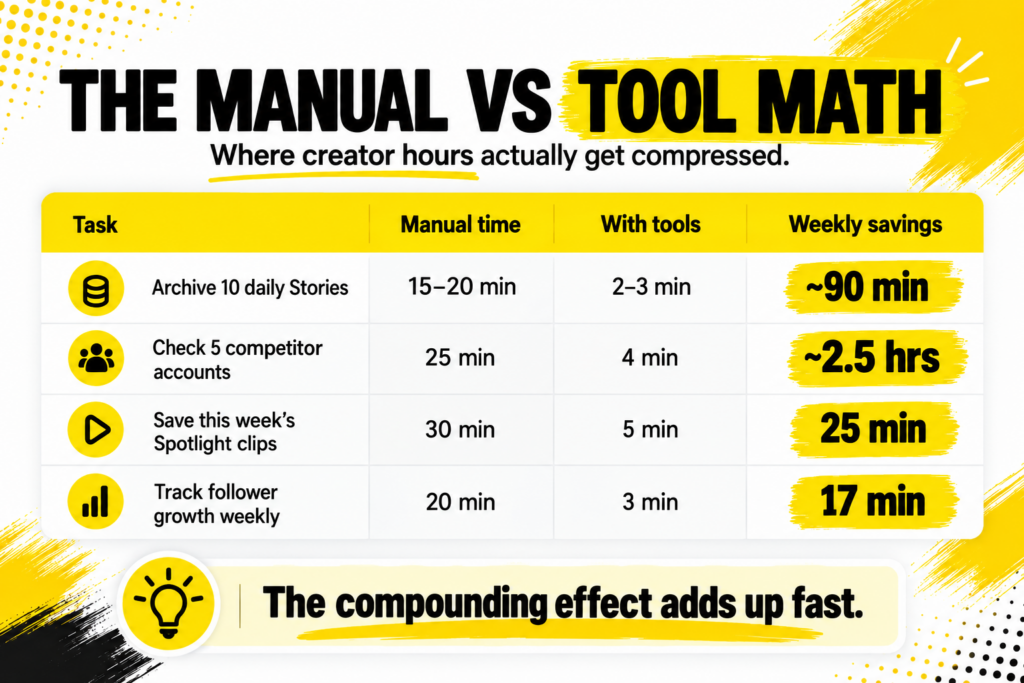
| Task | Manual time | With tools | Weekly savings |
|---|---|---|---|
| Archive 10 daily Stories | 15 to 20 min | 2 to 3 min | ~90 min |
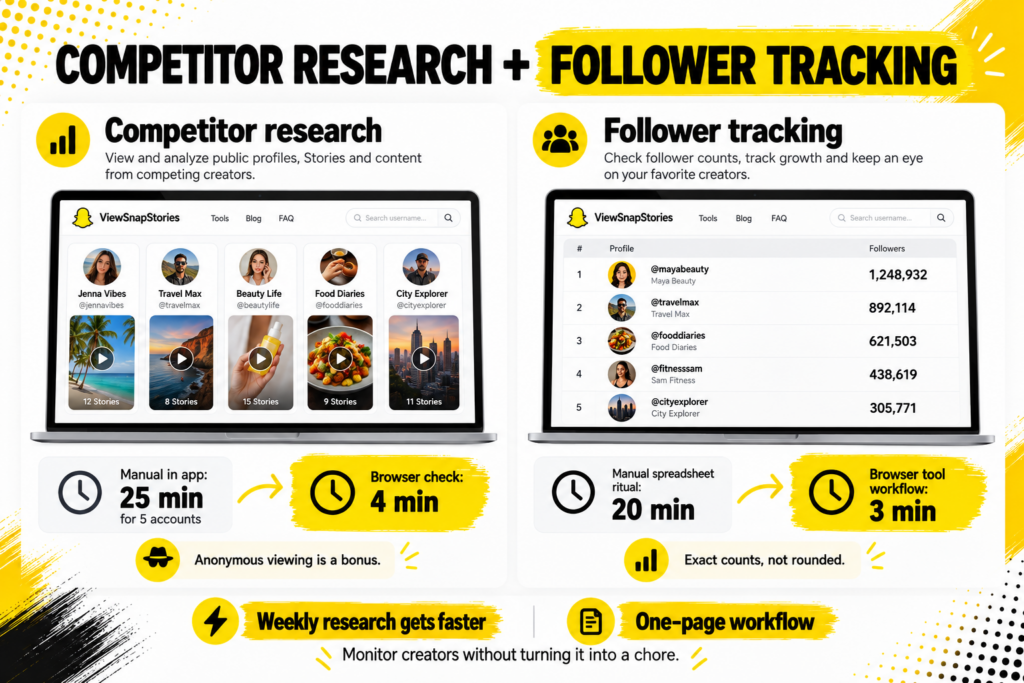
| Check 5 competitor accounts | 25 min in app | 4 min in browser | ~2.5 hrs |
| Save this week’s Spotlight clips | 30 min | 5 min | 25 min |
| Track follower growth weekly | 20 min | 3 min | 17 min |
| Research a new niche account | 45 min | 10 min | Per lookup |
| Diagnose why app is broken | 15 min guessing | 30 seconds check | Per outage |
The last two rows are situational rather than weekly. But the first four are the ones that add up across a normal creator week.
Story Archival: The Biggest Weekly Win
Story archival is the single most time-consuming Snapchat task most creators do daily. It is also the single biggest time saving available.
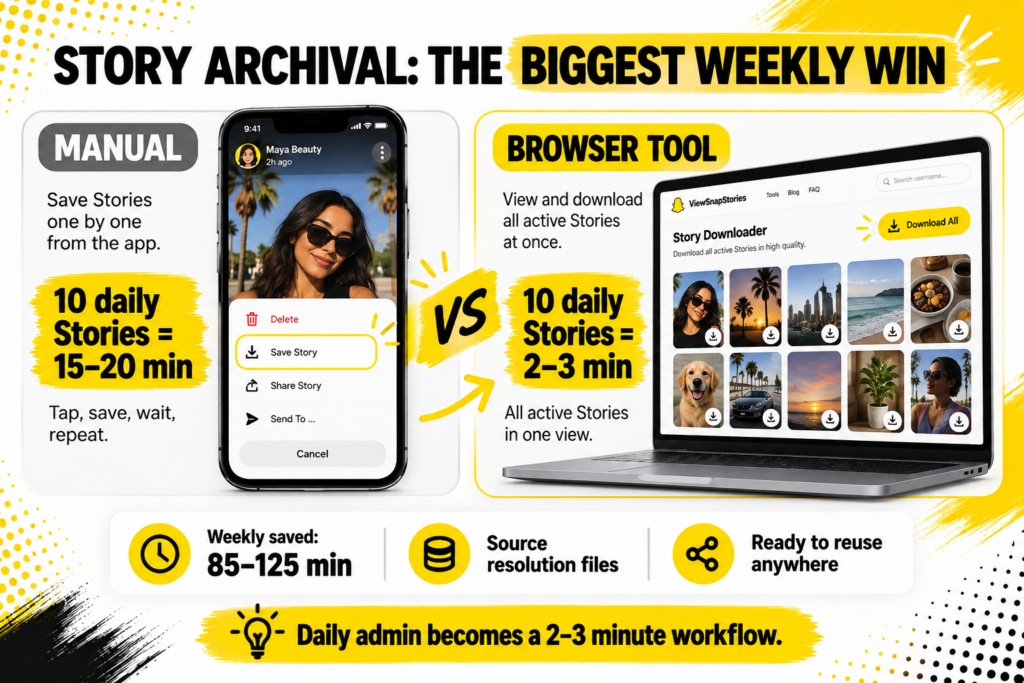
The manual method involves opening each Story you posted, tapping the three-dot menu, choosing Save Video, waiting for it to save to your camera roll, moving on to the next one. For 10 daily Stories that is 15 to 20 minutes of touching your phone.
A browser-basedSnapchat Story Downloader loads all your active Stories in one view when you enter your username. Download each one with a click. Total time: 2 to 3 minutes for the same 10 Stories.
- Manual: 15 to 20 minutes for 10 Stories daily. Roughly 105 to 140 minutes weekly.
- With tool: 2 to 3 minutes for the same 10 Stories. Roughly 15 to 20 minutes weekly.
- Weekly time saved: 85 to 125 minutes.
- Files are cleaner too. No app watermark, source resolution, ready to reuse anywhere.
For creators posting more than 10 Stories daily, the compression is even more dramatic since browser tools handle 30 Stories in barely more time than 10.
Competitor Research at Scale
The second biggest weekly time saving. Snapchat gives creators zero built-in competitor tools.
Snapchat’s Public Profile documentation explains that Public Profiles are visible to anyone on the platform. That visibility is what makes competitor research possible without following anyone, but the app itself never presents that data efficiently.
- Manual competitor check per account.Open app, search username, wait for load, view Stories one by one, note observations, close, repeat. Around 5 minutes each.
- Browser competitor check per account.Open bookmarked profile viewer, paste username, see full profile plus Stories in one view. Around 45 seconds each.
- Weekly time for 5 competitors.Manual: 25 minutes. Browser: 4 minutes.
- Anonymous.Bonus: browser research does not add your username to competitor viewer lists, unlike the in-app method.
For creators tracking 10 or more competitors, the time saving stretches past an hour weekly. For agencies tracking 20 or more, past three hours.
Follower Tracking Without the Spreadsheet Ritual
Snapchat Insights is powerful but does not export.
The Public Profile features documentation covers what Insights includes. Growth over time is visible inside the dashboard, but exporting for reporting or long-term tracking requires copying numbers manually into a spreadsheet.
- Manual weekly ritual.Open Insights, screenshot the growth chart, type the current numbers into a spreadsheet, save, close. Around 20 minutes for 5 tracked accounts (your own plus 4 competitors).
- Browser tool workflow.Open a follower count checker, enter each username, note the current number. Around 3 minutes for the same 5 accounts.
ASnapchat Followers Count checker returns exact current numbers instead of the rounded versions the app displays for accounts past certain thresholds. Weekly tracking becomes a single-page workflow rather than a 20-minute chore.
Spotlight Archival for Viral Content
Snapchat’s Spotlight documentation confirms Spotlight clips are public by design and permanent by default. Which makes them the easiest content type to save, but only if the tool workflow matches.
- Manual Spotlight save.Screen recording each clip, cropping out UI, saving. Around 5 to 8 minutes per clip.
- Browser Spotlight download.Paste link, save MP4. Around 30 seconds per clip.
- Weekly Spotlight save for 5 viral clips.Manual: 25 to 40 minutes. Browser: 3 to 5 minutes.
- Cross-posting bonus.Clean MP4 files without watermarks ready for TikTok, Instagram Reels, YouTube Shorts.
The Weekly Time Saved by Creator Profile
The math looks different depending on what stage the account is at.
- Small creator (under 1,000 followers).Story archival is the biggest daily task. Tool workflow saves roughly 90 minutes weekly on archival alone.
- Growing creator (1,000 to 10,000 followers).Add competitor research and follower tracking. Total weekly saving: 2 to 4 hours.
- Established creator (10,000+ followers).Add Spotlight archival and cross-platform distribution. Total weekly saving: 4 to 6 hours.
- Agency or team.Multiple accounts tracked, client reporting, portfolio archival. Total weekly saving: 8 to 12 hours across the team.
At the higher end, that saving is genuinely equivalent to a full working day per week reclaimed from repetitive work.
The Compound Effect Over Months
A single week’s time saving does not sound world-changing. Multiplied across a year, the numbers become meaningful.
- 4 hours saved weekly.Over 52 weeks, that is 208 hours annually or roughly 26 full working days.
- 6 hours saved weekly.312 hours annually or 39 full working days.
- Time freed for what.Creating new content, engaging with the audience, planning strategy or genuinely resting instead of grinding admin.
The compound effect is what turns tool adoption from a nice-to-have into a career-shaping habit for creators serious about consistency.
Where Tools Do Not Save Time
Being honest about the limits.
- Content creation itself.No tool writes your Snaps or shoots your Stories. The creative work still lives with you.
- Community engagement.Responding to DMs, comments and creator collaborations is still manual and should stay that way.
- Ideation.Deciding what to post next is a strategic question no browser tool answers.
- Setup time.Building a tool workflow costs 30 to 60 minutes upfront. The payback comes across subsequent weeks, not immediately.
- Learning curve.First week with a new tool involves some fumbling. By week two or three, the workflow becomes automatic.
The saving is on repetitive, mechanical, administrative tasks. Not on the creative or human parts of being a creator.
Building a Time-Saving Stack
A working stack for creators looks different depending on stage, but the priorities are usually the same.
- Start with Story archival, since it is the daily task with the biggest saving.
- Add competitor research once you have three or more accounts to track weekly.
- Add follower tracking once you have four or more accounts (your own plus competitors) to monitor.
- Add Spotlight archival if your content lives on Spotlight rather than just Stories.
- Add a down checker for quick outage diagnosis.
- Bookmark all of the above for one-tap access.
Total setup time: under an hour. Total ongoing time saved: 4 to 8 hours weekly across a normal creator week.
Common Time-Wasting Mistakes
Six patterns that undo the time savings tools should be delivering.
- Using tools that require login.Sign-in flows add 30 seconds to every task. Genuine no-login tools stay faster.
- Not bookmarking tools.Searching for the tool every time adds 20 to 40 seconds per use.
- Switching between too many tools.Three or four tools cover most needs. Ten tools slow you down through decision fatigue.
- Doing everything daily instead of weekly.Batching competitor research to a weekly slot is faster than checking daily.
- Perfectionism.Saving every Story exceeds diminishing returns. Save the ones worth keeping, skip the routine ones.
- Ignoring the setup phase.First-time workflows always take longer. The saving compounds after the second or third use.
Cross-Device Time Savings
One quiet advantage of browser tools worth naming.
- Same workflow on any device.Phone, tablet, laptop, desktop. No app to install anywhere.
- Bookmark syncs across devices.Chrome bookmarks sync between phone and laptop by default. Firefox and Safari do the same.
- Work from anywhere.Client meeting, coffee shop, commute. As long as there is a browser, the workflow works.
- No app updates to worry about.Browser tools update on their end. You never have to update anything.
Sites likeViewSnapStories bundle multiple tools into one interface, so the whole workflow lives at a single bookmark.
Time Savings FAQs
How much time do these tools actually save?
For active creators, roughly 4 to 8 hours weekly across archival, competitor research, follower tracking and content saving. For agencies or teams, considerably more.
Do free tools save as much time as paid ones?
For most creator use cases, yes. Free browser tools cover the core time-saving categories. Paid tools mostly add automation and multi-account features that matter for agencies but not individual creators.
How long before I see the time savings?
First-week setup costs 30 to 60 minutes. Time savings become obvious in week two once the workflow is automatic. By month one, the compound saving becomes hard to imagine giving up.
Do these tools work if I only post once a week?
Less impact, since the daily archival saving does not apply. Competitor research and follower tracking still save time regardless of your own posting frequency.
Hours Reclaimed, Consistency Preserved
The reason online Snapchat tools matter to creators is not about the tools themselves. It is about what those tools protect. Consistency is the single strongest driver of Snapchat growth. Consistency dies when creators spend more time on admin than on content. Tools solve that specifically.
Four to eight hours reclaimed weekly is either time for more content, better content, more engagement, more thinking or genuinely time back for the parts of life that are not the platform. Any of those beats another Sunday afternoon manually archiving Stories one at a time.