Snapchat glitches out and everybody’s first question is the same. Is it just me? Or is it down for everyone? The answer changes what you do next completely. A platform-wide outage means waiting it out. A local issue means the fix is on your end.
A Snapchat down checker exists to answer that question quickly. It combines real-time server checks with reports from other Snapchat users to give you a clear picture of whether Snapchat itself is having problems or whether the issue is confined to your device or connection.
Quick Answer
Open aSnapchat Down Checker in your browser. It shows whether Snapchat’s servers are responding, how many users have reported issues in the last hour and where those reports are coming from geographically. If reports are high across multiple regions, Snapchat is genuinely down. If reports are low or absent, the problem is on your side. The fix is usually a network switch, cache clear or app restart.
The Two Signals That Actually Matter
Down checkers combine two very different types of data. The combination is what makes them useful.
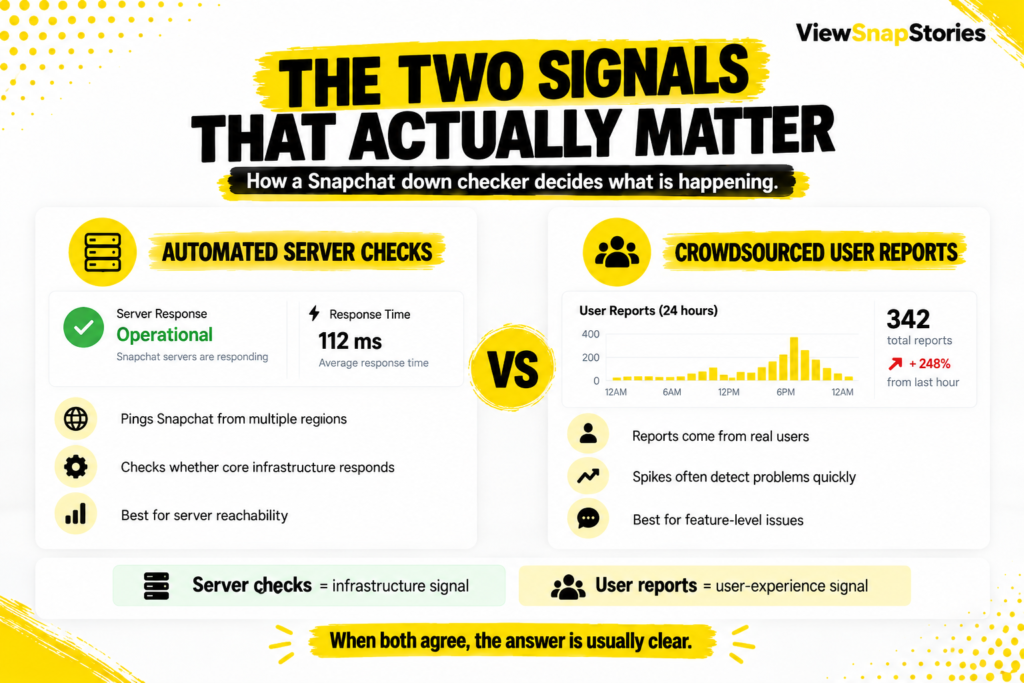
- Automated server checks.The tool pings Snapchat servers every few minutes from multiple regions. If the servers respond normally, Snapchat is up as far as infrastructure is concerned.
- Crowdsourced user reports.Real users submit outage reports when they experience problems. A sudden spike in reports usually means something broke faster than the automated checks can detect.
Server checks tell you if Snapchat’s core infrastructure is reachable. User reports tell you if actual Snapchat features are working the way users expect. Both signals agreeing is a strong signal in either direction.
When the two disagree, the truth is usually somewhere between. Snapchat servers might be technically up but a specific feature like Stories or Chat is broken, which is why user reports spike while automated checks say everything is fine.
Common Symptoms and What They Usually Mean
This table maps the symptoms people report most often to their likely causes.
| Symptom | Likely cause | What to do first |
|---|---|---|
| App will not open at all | Local device or Snapchat outage | Check a status page |
| Messages not sending | Snapchat server issue or connection | Check WiFi vs mobile data |
| Stories not loading | Snapchat CDN or your bandwidth | Try one Story on a different network |
| Login fails with valid password | Snapchat auth server issue | Wait a few minutes, then retry |
| Snaps stuck in Sending | Delivery pipeline issue | Check status page for reports |
| App loads but feed is empty | CDN or cache problem | Force close and reopen the app |
Symptoms rarely have a single cause. But knowing the most likely explanation for each one saves time before jumping to conclusions.
How to Read a Down Checker Result
The output looks simple but each element tells you something specific.
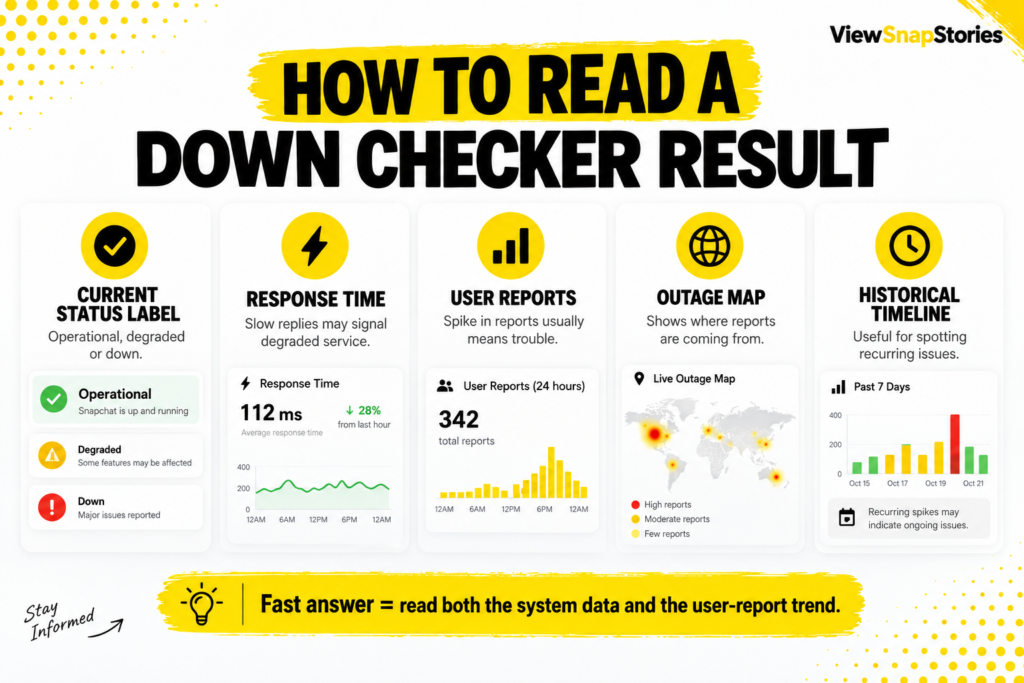
- Current status label.Operational, degraded or down. This is the tool’s summary based on both signals.
- Response time.How long Snapchat’s servers took to reply to the automated check. Slow response times can indicate degraded service before a full outage.
- User reports in the last hour.The most sensitive signal for detecting a fresh outage. Zero reports is normal. Above 50 in an hour is concerning. Above 500 is usually a widespread issue.
- Outage map.Shows where reports are coming from geographically. A US-only spike usually means a regional issue. Global spikes usually mean the platform.
- Historical timeline.Shows outages over the last 24 hours, 7 days or 90 days. Useful for spotting patterns like recurring evening slowdowns.
Is It Snapchat or Is It Me?
The single most useful thing a down checker does is help you answer this question.
If the checker shows Snapchat operational and no user reports, the problem is almost certainly on your device or network. The fix belongs on your end.
If the checker shows elevated user reports from multiple regions, Snapchat itself is having issues. Waiting a few hours is usually more productive than any local troubleshooting.
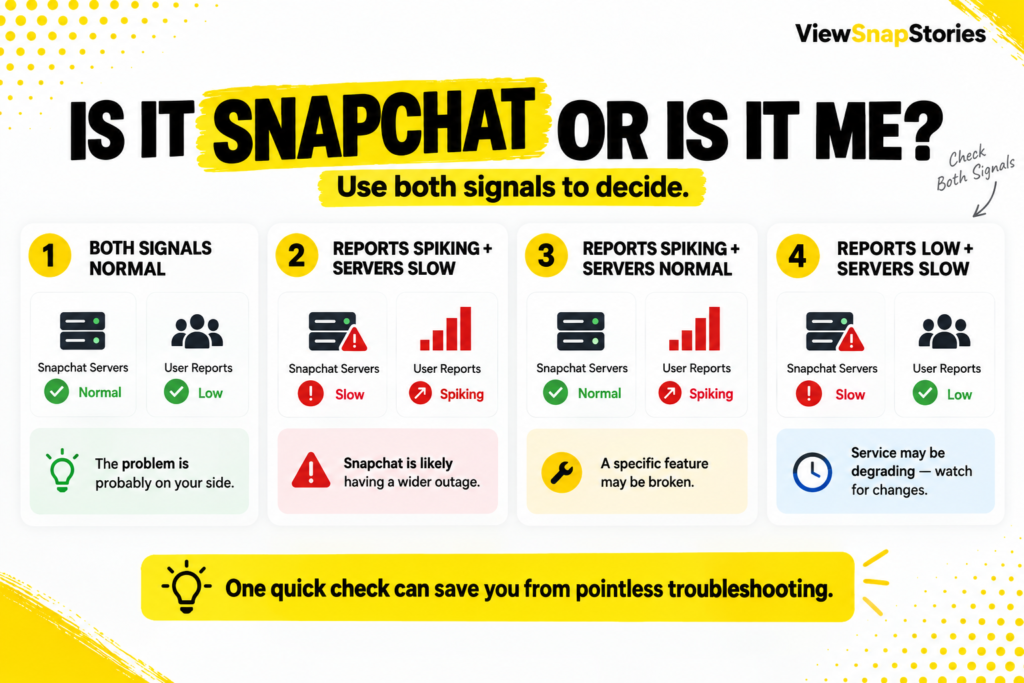
- Both signals up.It is you. Try the local fixes below.
- Reports spiking, servers responding slowly.It is Snapchat. Wait it out.
- Reports spiking, servers responding normally.A specific feature is broken. Check the outage map to see which feature.
- Reports low, servers slow.Snapchat may be degrading. Watch for a bigger spike in the next 15 minutes.
Local Fixes When Snapchat Is Actually Up
When the checker says Snapchat is operational but the app still fails, the fix is on your side.
Snapchat’s official troubleshooting page covers common local issues. The steps below cover the most useful ones in order of effort.
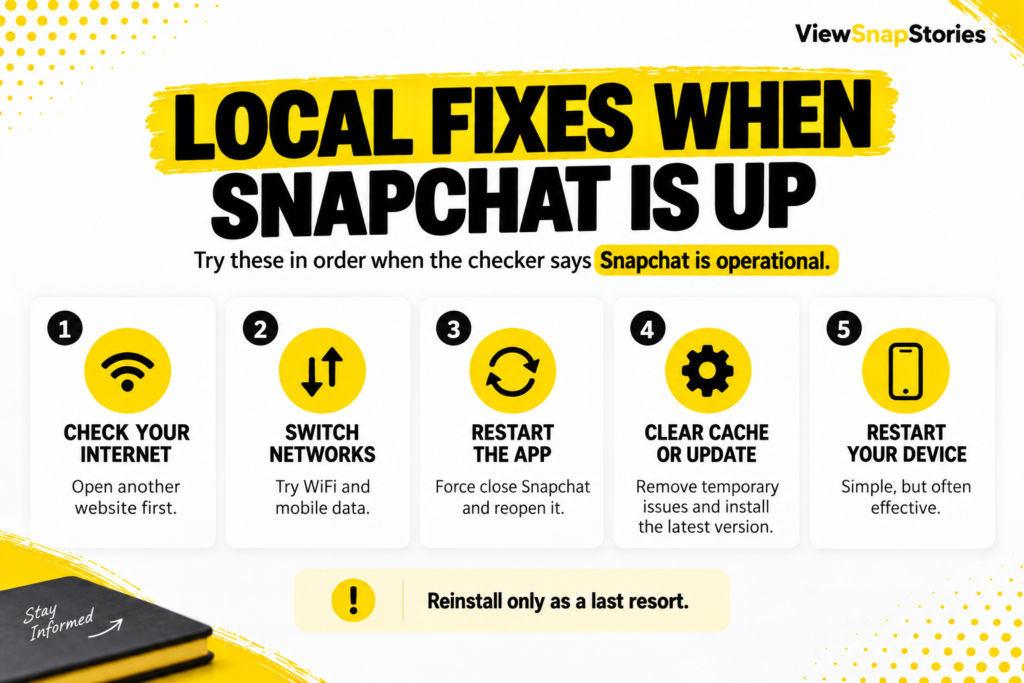
- Check your internet connection by loading any other website. If nothing loads, the problem is your connection.
- Switch between WiFi and mobile data to see if one works and the other does not.
- Force close Snapchat and reopen it. This clears the app state without losing anything.
- Clear Snapchat’s cache from device settings. This clears temporary files that sometimes cause loading issues.
- Update Snapchat to the latest version if an update is available.
- Restart your device. Genuinely fixes more issues than people expect.
- Uninstall and reinstall Snapchat as a last resort. This preserves your account but wipes local data.
Historical Context Matters
Snapchat outages are more common than the marketing suggests but less catastrophic than social media makes them look.
Over any given 90-day window, Snapchat typically has one to three noticeable outages, each lasting between 15 minutes and 3 hours. Most are regional rather than global. Snapchat rarely acknowledges brief ones officially. A down checker’s historical timeline is often more accurate than Snapchat’s own status communications.
- Short glitches (under 15 minutes) happen weekly for many users, often localized.
- Meaningful outages (over an hour) happen every few months on average.
- Complete global outages (Snapchat entirely offline) happen roughly annually.
- Snapchat almost never acknowledges outages under an hour officially.
Why Snapchat Support Is Not Always the Fastest Route
Snapchat’s official support channels work well for account issues but are less useful for real-time outage status. Support ticket response times are measured in days rather than minutes, so if the question is whether Snapchat is currently down, a third-party checker delivers the answer in seconds.
- Support tickets are for account-specific issues, not outage information.
- Snapchat’s own status page updates slower than user report aggregators.
- Third-party checkers show outage patterns before Snapchat acknowledges them.
- The one thing support does well is helping with account lockouts, which no down checker addresses.
Common Use Cases That Are Practical
The reasons people reach for a down checker are usually urgent rather than casual.
- Creators mid-post.Deciding whether to try posting again immediately or wait.
- Brand teams during launches.Confirming whether an ad campaign’s poor performance is due to Snapchat being down.
- Personal messaging urgency.Deciding whether a missed reply is because the message did not send or because the recipient has not opened it.
- Community managers.Investigating whether a spike in user complaints matches a real platform issue.
- Streamers using Snapchat features.Confirming whether a live feature failing is platform-side.
- Anyone with Snap streaks.Checking whether an outage explains a missed Streak day, since Snapchat sometimes restores Streaks lost to confirmed outages.
When You Should Not Trust a Single Checker
One data source has blind spots. Two or three combined is more reliable.
- Checkers monitor from specific geographies. A checker in North America might miss a European regional outage.
- User report thresholds vary. Some tools flag 20 reports as an outage. Others need 200 before showing red.
- Reports can be delayed by minutes. A brand-new outage might not register on any checker for the first 10 minutes.
- Some checkers auto-refresh, others need a manual reload. Old data is worse than no data.
For anything critical, checking two independent tools takes the same amount of time and produces a much more reliable answer.
Snapchat Down Checker FAQs
How often does Snapchat go down?
Small glitches happen weekly for many users. Meaningful outages lasting over an hour happen every few months. Complete global outages are roughly annual events.
Does Snapchat notify users when it is down?
Rarely. Snapchat maintains a status page but updates it slowly, so third-party checkers usually detect outages first.
Can I use Snapchat during an outage?
Sometimes partially. Cached Stories may still load. Previously received messages remain viewable. New activity typically fails until the outage resolves.
Do outages affect my Streaks?
Confirmed platform outages usually do not break Streaks. Snapchat has processes to restore Streaks lost during acknowledged outages, though the restoration is not automatic.
One Check, One Answer, One Less Guess
The question of whether Snapchat is down for everyone or just you has a clear answer. A good down checker delivers it in seconds. Two signals combine to build the picture. Automated server checks tell you if Snapchat’s infrastructure is reachable. User reports tell you if the actual experience is working. Both signals agreeing means the situation is clear either way.
For anyone whose day depends on Snapchat functioning, having a bookmark that answers the question quickly saves two kinds of wasted time. The frustration of local troubleshooting during a platform-side problem. The wasted waiting on a local issue that only a device restart would have fixed.