Snapchat is unusually strict about privacy defaults compared to most social platforms. Regular accounts start private. Only friends see the personal Story. Direct messages need mutual acceptance. And under-16 accounts are entirely private without any option to change that.
The complexity starts when you choose to make specific content public. Public Profiles, Spotlight submissions, custom Stories and location sharing each have their own visibility rules. Each requires an intentional action from the account holder to become visible outside the friend circle. This guide covers the privacy tools Snapchat gives you, what each one controls and how to actually decide what stays private versus what becomes public.
Quick Answer
Snapchat privacy is built around a clear split: personal content stays private to friends by default, while public content (Public Profile Stories, Spotlight clips, opted-in features) becomes visible to anyone. Users control the split through a set of privacy toggles for Stories, contacts, Snap Map location, Quick Add discovery and activity indicators. Under-16 accounts stay entirely private with no public options. Everyone else can choose what to expose and what to keep in the friend circle.
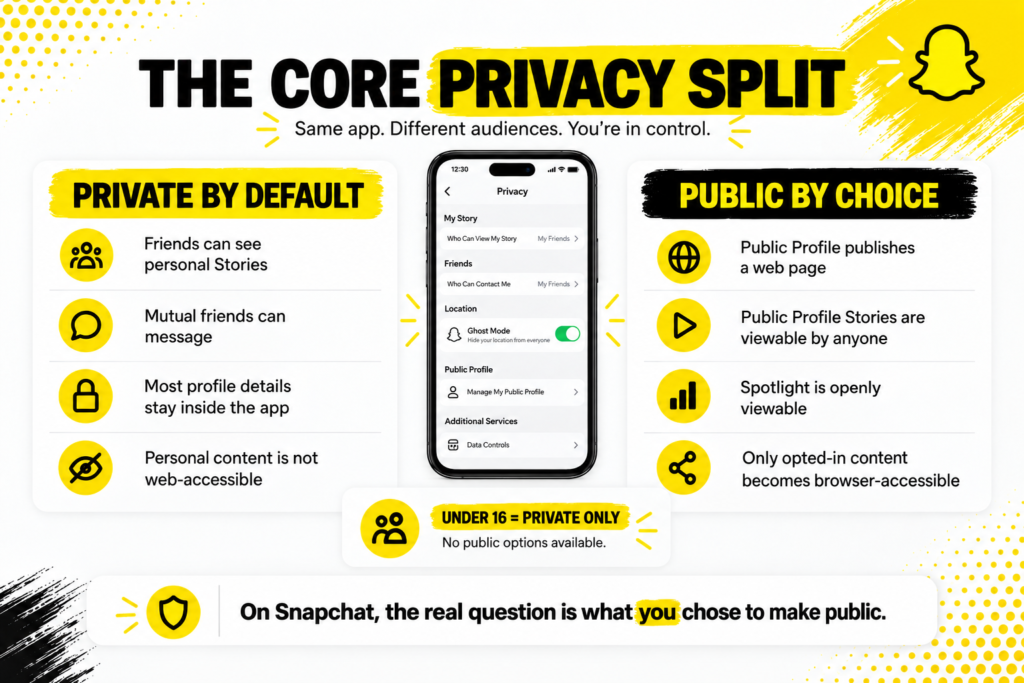
The Core Privacy Split
The Snapchat privacy model is simpler than it looks once you understand the split.
- Private by default.Every new personal account starts private. Only mutually accepted friends can send messages, see personal Stories or view most profile details.
- Public by choice.Opting into a Public Profile, submitting to Spotlight or adjusting specific visibility toggles moves content into the public tier.
- No middle ground for external tools.Content is either fully private (inside the app only, friends-restricted) or fully public (accessible through any browser).
- Age matters.Under-16 accounts cannot make anything public regardless of settings. Snapchat enforces this restriction platform-side.
So the privacy question is not “what can others see” in the abstract. It is “what did I choose to make public and does that match what I actually want”.
What Actually Becomes Public When You Post
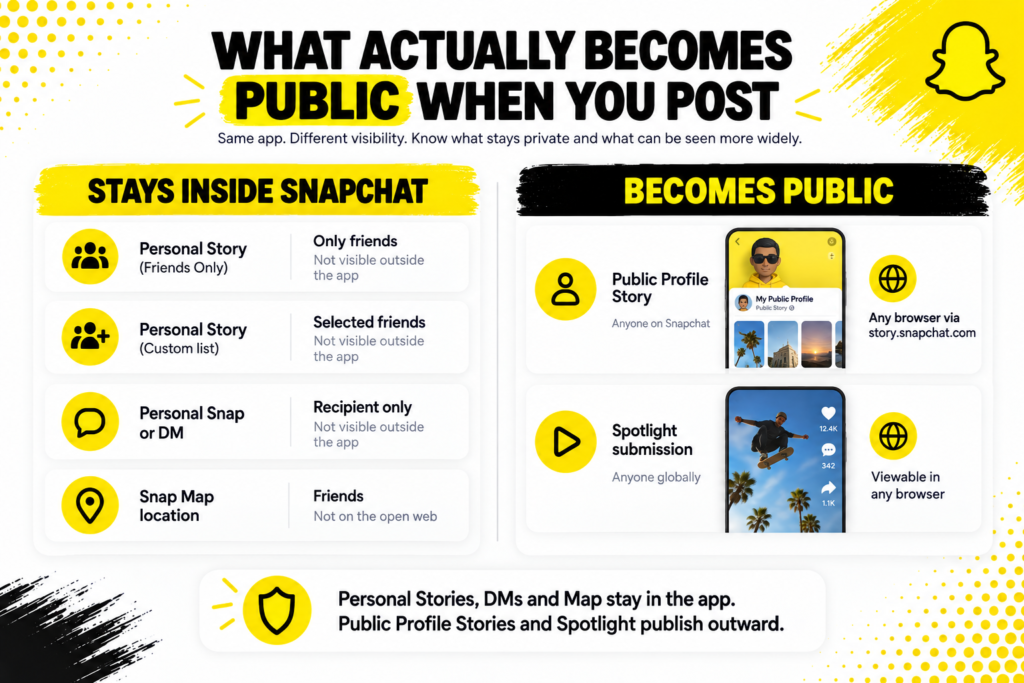
This table maps each content type to its default visibility and its actual external reach.
| What you post | Default visibility | Who can see it externally |
|---|---|---|
| Personal Story (Friends Only) | Only friends | Nobody outside the app |
| Personal Story (Custom list) | Selected friends only | Nobody outside the app |
| Personal Snap or DM | Recipient only | Nobody outside the app |
| Snap Map location (Ghost Mode off) | Friends | Not on the open web |
| Public Profile Story | Anyone on Snapchat | Any browser via story.snapchat.com |
| Spotlight submission | Anyone globally | Anyone on any browser |
The top four rows never leave the app. The bottom two rows publish to open web endpoints anyone can read.
The Personal Story Visibility Setting
The single most important privacy toggle for casual users.
Every personal Story you post has three visibility options: Friends Only, Custom or My Friends Except. All three keep the Story inside Snapchat’s app, accessible only to accounts on your friend list who have not been excluded.
- Friends Only.The default. Anyone on your friend list can see the Story. Nobody else.
- Custom.You pick a specific list of friends who can see the Story. Everyone else on your friend list is excluded.
- My Friends Except.The reverse of Custom. Everyone on your friend list can see the Story except the specific people you exclude.
- External reach.None. Personal Stories never leave Snapchat regardless of which of the three settings you use.
A personal Story is different from a Public Profile Story. The setting on your personal Story does not affect what your Public Profile publishes, which has its own separate settings.
Public Profile: The Deliberate Public Choice
Creating a Public Profile is the specific action that changes visibility rules on Snapchat. ThePublic Profile documentation explains what changes when you opt in.
- Publishes a webpage.Your profile becomes accessible at story.snapchat.com followed by your username, readable in any browser.
- Exposes profile fields.Bitmoji, display name, bio, subscriber count if you toggle it on, website link and country.
- Publishes any Public Profile Stories.Stories you post specifically to your Public Profile appear on the webpage for anyone to view.
- Separate from personal account.Public Profile Stories are different from personal Stories. Your personal Story settings stay private.
- Reversible.You can delete the Public Profile later. The webpage disappears with it.
Nothing about creating a Public Profile automatically publishes your existing personal Snaps or DMs. Only content you specifically post to the Public Profile becomes public.
Snap Map and Location Privacy
Snap Map is the location-sharing feature. It comes with its own set of privacy tools. Snapchat’s Snap Map documentation covers the options in detail.
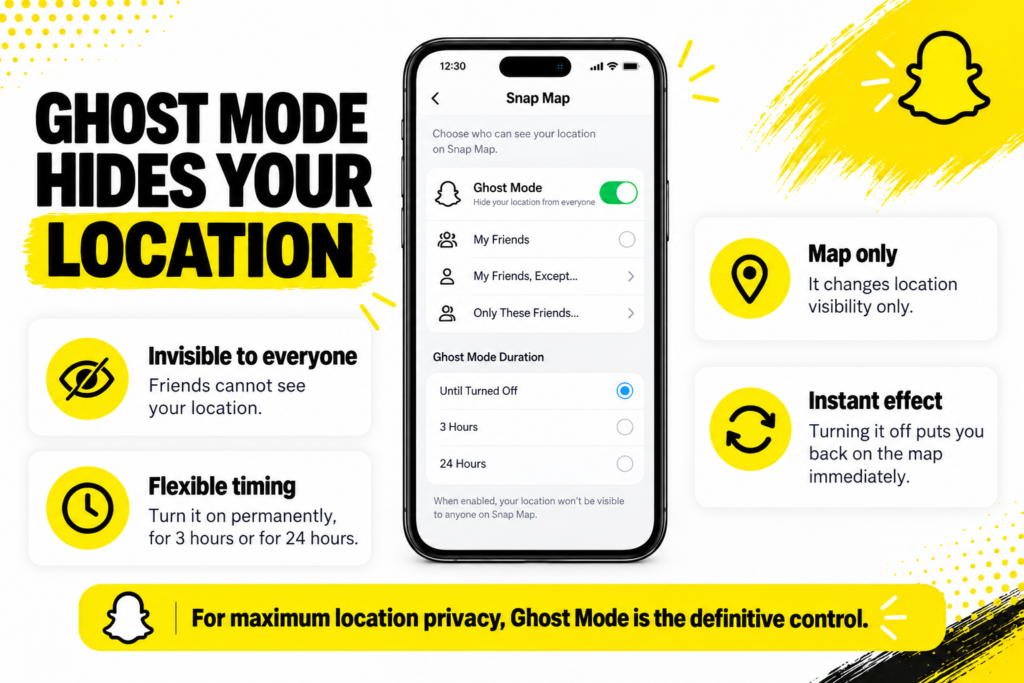
- Ghost Mode.The most important location privacy setting. When enabled, your location is invisible to everyone including friends.
- My Friends.Location visible to all mutually accepted friends.
- Select Friends.Custom list of friends who can see your location.
- Only Me.Same effect as Ghost Mode. Nobody sees your location.
- Location history.Snapchat stores past locations. You can delete this history from the Map settings.
- Snap Map does not publish externally.Even without Ghost Mode, your location is visible only to friends inside the app. It does not appear on any browser-accessible webpage.
For anyone concerned about location privacy, Ghost Mode is the definitive control. Turning it on takes seconds and hides your location from everyone.
Who Can Contact Me Settings
The controls that determine who can message, add or interact with you.
- Contact Me.Choose whether anyone or only friends can send you Snaps. Friends only is the safer default.
- View My Story.Controls who can view your personal Story. Same three options as when posting: Friends Only, Custom or My Friends Except.
- Send Me Notifications.Choose whether to receive notifications from everyone or only friends. Friends only reduces spam.
- Show Me in Quick Add.Turn off if you do not want to appear in Snapchat’s friend suggestions to other users.
- Show Me in Find Friends.Similar to Quick Add but affects the Find Friends discovery feature. Turn off for maximum invisibility.
- Activity Indicator.Choose who can see when you are active on Snapchat. Friends only or off entirely.
Setting all six of these to Friends Only or off gives you the tightest personal privacy posture without disabling any core functionality.
The Comment Approval Setting Nobody Uses
For accounts with Public Profiles, one setting matters more than most users realise.
- Manually approve.All comments on your Public Profile Snaps need your approval before they appear publicly.
- Auto-approve my Friends.Comments from friends post automatically. Non-friend comments require approval.
- Auto-approve everyone.All comments post automatically without moderation.
For creators, brand accounts and anyone whose Public Profile might attract negative attention, manual approval is worth the small time cost. Automatic approval means anything anyone posts appears publicly on your profile until you notice and remove it.
Ghost Mode Deserves Its Own Section
Ghost Mode is the single most protective privacy setting Snapchat offers.
When enabled, your location becomes invisible to everyone. Friends see you as absent from the Snap Map. Snapchat itself continues to know where you are for the app to function, but nobody else can see it.
- Toggle it on from Settings, then Location, then Ghost Mode.
- Can be set to permanently on, on for 3 hours or on for 24 hours.
- Turning it back off puts you back on the Map immediately.
- Ghost Mode does not affect Stories, DMs or any other feature. Only location visibility.
- For anyone concerned about location tracking, this is the definitive control.
What You Cannot Control
Being honest about the edges of your control.
- External tools reading public data.Once you have a Public Profile with content, that content is on public webpages. Browser tools reading those pages is not something Snapchat can prevent. Neither can you.
- Screenshots by approved friends.Snapchat notifies you when a friend screenshots your Story, but the notification does not prevent the screenshot from existing.
- Impersonation.Somebody creating a fake account using your name and picture is not something your privacy settings prevent. Reporting the account through Snapchat’s process is the route.
- Data collection by Snapchat itself.Snapchat collects usage data for its own analytics and advertising, which is a different privacy question from what other users can see.
- Government requests.Snapchat complies with legitimate law enforcement requests for data. This is standard for major platforms and not related to your visibility settings.
The Age-Based Restrictions
Snapchat applies stricter rules for younger users.
- Under 13.Accounts are not permitted on the main Snapchat platform.
- Ages 13 to 15.Fully private accounts. No Public Profile option. No Spotlight posting. Location sharing restricted to mutually confirmed friends.
- Ages 16 to 17.Public Profile available with some restrictions. Spotlight posting has reduced reach compared to adults.
- 18 and over.Full access to all Public Profile and Spotlight features.
These restrictions are enforced by Snapchat platform-side, not by the user. Even if a younger user wanted to publish publicly, the platform blocks it.
The Practical Privacy Checklist
For anyone doing a periodic privacy check, this is the workflow worth running quarterly.
- Open Snapchat’s privacy controls in Settings.
- Confirm Ghost Mode is on if you do not want location shared.
- Check View My Story is set to Friends Only or Custom.
- Set Contact Me to Friends Only if you do not want random Snaps.
- Turn off Show Me in Quick Add if you do not want to appear in suggestions.
- Turn off Show Me in Find Friends for maximum discovery blocking.
- Set Activity Indicator to Friends Only or off entirely.
- If you have a Public Profile, set comment approval to Manual.
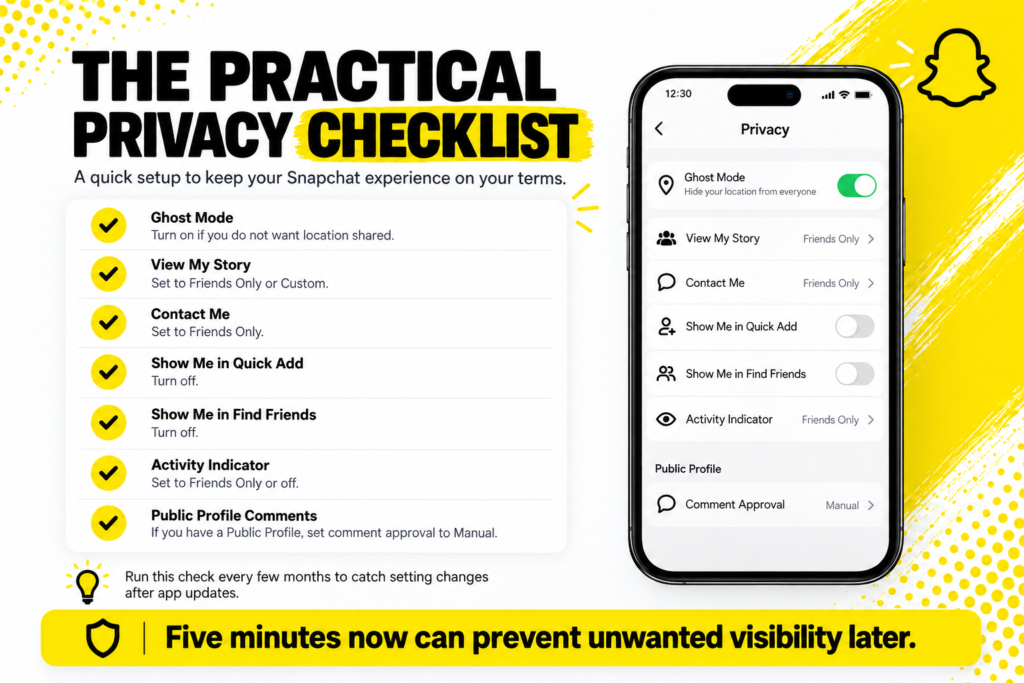
Running this checklist takes under five minutes and catches settings that may have changed with app updates.
Family Centre for Parents
Snapchat provides parental oversight tools for parents of teenage accounts.
- Parents can see the groups their teen is a member of.
- Parents can see the date of birth used at signup, sparking a conversation about accuracy.
- Parents cannot read message content, since Snapchat continues to protect message privacy even for teenagers.
- Parents can see who their teen is friends with, without reading conversations.
- Setup requires the teen to accept the Family Centre link, which cannot be forced without their consent.
For families with teenagers on Snapchat, Family Centre provides oversight without invading conversation privacy. Both parties must actively participate for it to work.
When Someone Uses a Public Viewer
If somebody uses a browser-based Snapchat viewer to look at your Public Profile, this is worth understanding clearly.
- It only works if you have a Public Profile.Personal profiles are not accessible through any external viewer.
- It only shows public data.Bitmoji, display name, bio, current Public Profile Story. Nothing private.
- You get no notification.External viewers do not register on your side.
- It is not a privacy violation.The tool is reading data you chose to publish publicly.
- You can stop this by removing the Public Profile.The webpage disappears and external viewers can no longer access anything.
Sites likeViewSnapStories read the same Public Profile webpages Snapchat itself publishes. If you want to prevent this access entirely, deleting the Public Profile is the definitive step.
Snapchat Privacy FAQs
Are Snapchat accounts private by default?
Yes. New personal accounts start with Friends Only visibility on Stories and Contacts. Public Profiles require an explicit opt-in.
Can strangers see my Snapchat Story?
Only if you posted the Story to your Public Profile rather than your personal Story. Personal Stories are visible only to friends.
Does Ghost Mode hide me from Snapchat itself?
No. Ghost Mode hides your location from other users only. Snapchat continues to know where you are for app functionality.
Can I stop external tools from reading my Public Profile?
The only reliable way is to remove the Public Profile entirely. Once content is on a public webpage, external tools can read it.
Private by Default, Public by Choice
The Snapchat privacy model comes down to one core idea. Everything starts private. You actively decide what to make public through specific settings. Ghost Mode for location. Public Profile for open access. Spotlight for algorithmic distribution. Comment approval for moderation. Each toggle is an explicit choice rather than a hidden default.
Which means the responsibility for public visibility sits with the account holder rather than the platform. Snapchat gives you the tools. What you make public is the choice you make with them.