Three different starting points. Three different levels of difficulty.
A username gets you there in seconds. A display name usually works. A real name is a gamble that depends entirely on what the person chose to call themselves.
Knowing which one you are holding decides how you go about it.
What Snapchat Search Will Actually Match
Straight from the source. Snapchat’s own documentation on usernames and Display Names states that you can find others by searching for their Display Name or their latest username.
Two fields, then. Not bios, not the content of their snaps, not their real name unless it happens to be one of those two things.
- Username.Unique. Nobody else can have it. This is the @handle used to add people.
- Display Name.Not unique at all. Changeable whenever they like. Often the closest thing to a real name you will get.
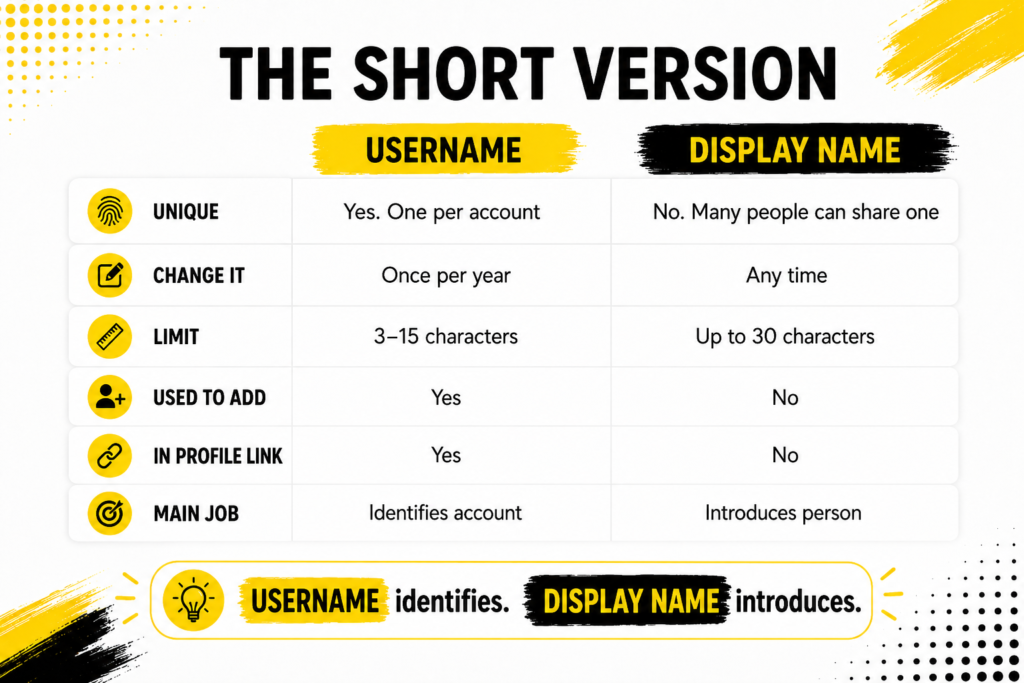
If the distinction between those two is what is tripping you up, the breakdown of Snapchat username versus display name goes through it properly.
Starting With a Username
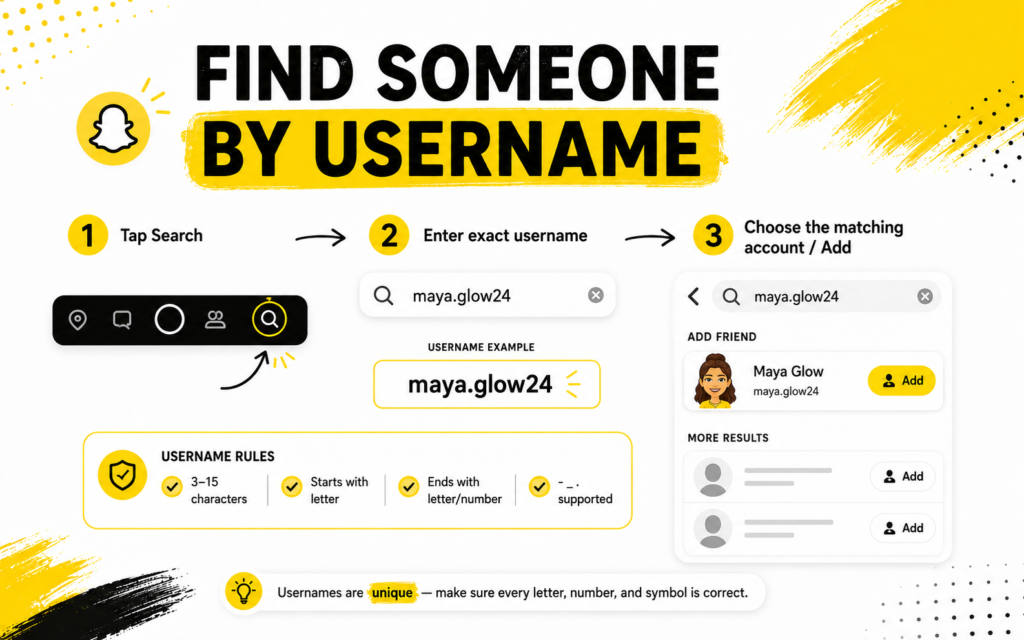
Easiest case. Type it in and you are done.
- Open Snapchat and tap the search icon at the top.
- Type the handle exactly as written.
- Look under the Add Friends results rather than the chats.
Worth knowing the format rules, because they explain most typos. Snapchat says usernames use Latin letters, numbers and one of a hyphen, underscore or full stop. Nothing else. So if you are trying variations with symbols in them, the rules say those were never possible in the first place.
Starting With a Real Name or Display Name
Harder, because you are searching a field that thousands of people can share.
- Search the name the way they would write it, not the formal version.
- Add a nickname if the full name returns a wall of results.
- Check profile pictures before anything else. Faces are faster than handles.
- If they use the same name elsewhere, try that spelling.
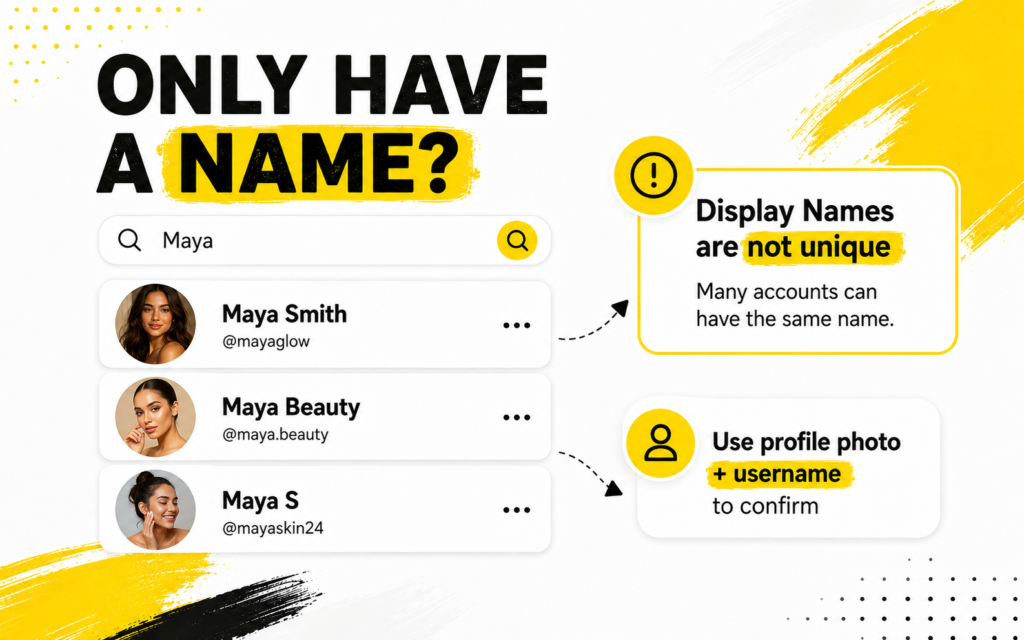
The in-app search rewards precision. Get close but not exact and it often gives you nothing rather than near misses, which is where most people give up.
When You Only Have a Fragment
A half remembered handle. A nickname. A word you associate with them.
This is where the app stops being useful and a Snapchat Username Finder earns its place. It searches across username and display name data together, so a partial match still returns something rather than an empty screen.
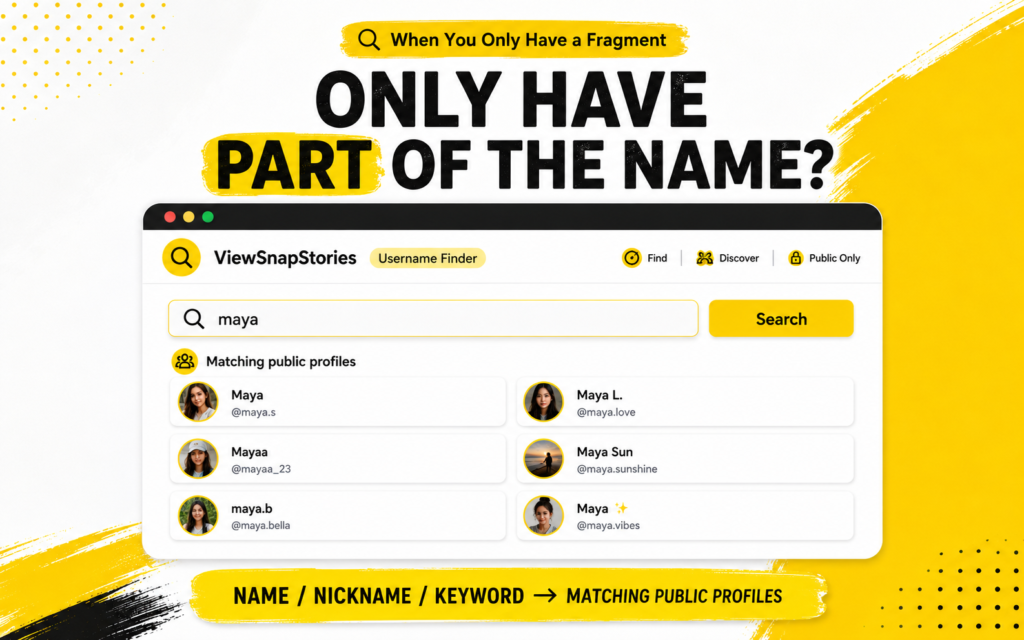
- Type a name, a nickname or any keyword tied to the person.
- Matching public profiles come back with pictures and usernames attached.
- Open any of them without a Snapchat account of your own.
Results only cover accounts Snapchat makes publicly searchable. Anyone private will not appear no matter how you phrase it. Nor will anyone who has tightened their discoverability settings.
The Verified Profile Catch
This one is genuinely surprising and it explains a lot of failed searches.
Snapchat’s business guidance on usernames and Public Profiles notes that for verified Public Profiles, the username is hidden in search results and only the display name appears.
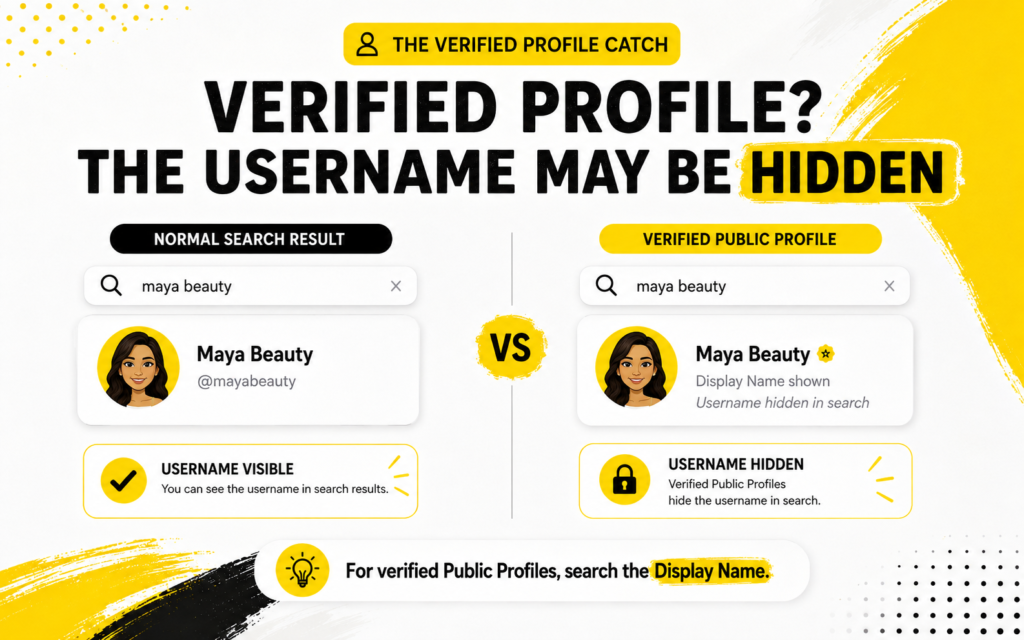
So if you are hunting for a brand or a well known creator by handle and getting nowhere, the handle may simply not be shown. Search the display name instead and you will usually find them immediately.
Snapchat Handles Barely Change
Good news if you are working from old information.
Snapchat allows a username change once a year, measured twelve months to the day from the last one. Compare that with platforms where handles can be swapped monthly and you can see why an old Snapchat username is usually still good.
- A handle from two years ago is more likely right than wrong.
- Display names change constantly, so treat those as unreliable.
- A released username can be claimed by somebody else, so verify rather than assume.
Other Ways In
When searching fails, the answer is often somewhere other than Snapchat.
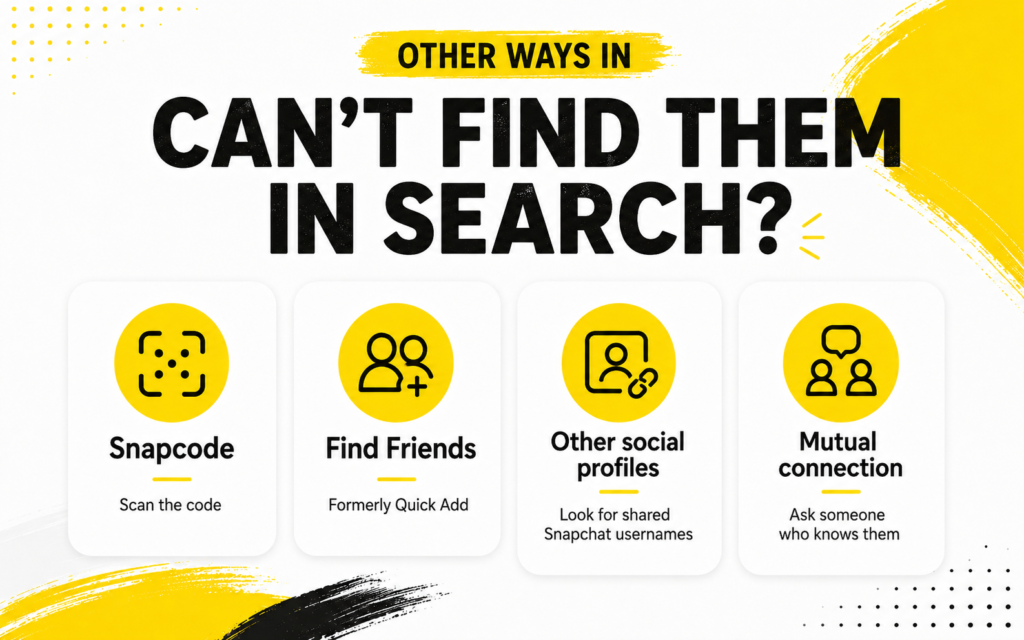
- Snapcode.Scan the ghost image or open one saved in your photos. Lands you on the exact account.
- Quick Add.Suggestions based on mutual friends and contacts you already have.
- Other platforms.Instagram and TikTok bios list Snapchat handles constantly, usually with a ghost emoji next to them.
- A mutual friend.Faster than any search box and far more reliable.
Confirming It Is Actually Them
Similar handles are everywhere and impersonation accounts copy names deliberately.
- Match the profile picture against one you already know.
- Check whether the display name and handle make sense together.
- Look at whether there is any public activity at all.
The Snapchat Profile Viewer opens a public profile in a browser so you can check properly before adding anybody.
Snapchat Search FAQs
Can I find someone with only their real name?
Only if their display name resembles it. Snapchat does not search anything else.
Does searching notify them?
No. Searching and viewing a public profile send nothing to the account owner.
Why can I see a profile but not their stories?
Existing publicly and posting publicly are different things. They may simply have nothing to live.
Do I need an account to search?
Not for a browser-based finder. The in-app search does expect you to be signed in.
Match the Method to What You Have
Username means type it and go. Display name means search it and scan the pictures. A real name means hope it matches their display name, then fall back on everything else.
For anything vaguer than that, run it through the username finder and let it match across both fields at once. Once you have the handle, the story viewer takes it from there.