Snapchat is deliberately minimal. The app hides most of what other platforms display openly and treats content as temporary rather than permanent. Which leaves a whole category of tasks the app itself never supports at all.
That gap is what third-party browser tools fill. Story viewing without adding to the viewer list. Video downloading without a native Save button. Profile lookup without account creation. Follower checks without an app install. Each tool solves one specific problem. Knowing which tool fits which task saves a lot of time.
Quick Answer
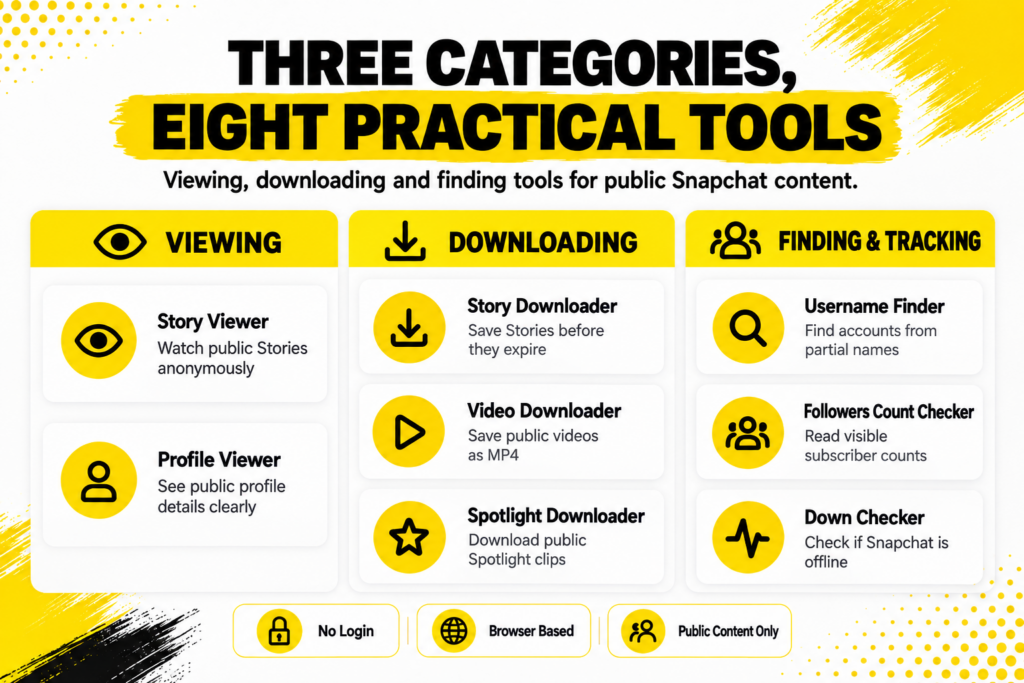
The best Snapchat online tools cover three categories: viewing (Story Viewer, Profile Viewer), downloading (Story Downloader, Video Downloader, Spotlight Downloader) and finding or tracking (Username Finder, Followers Count Checker, Down Checker). All run in browsers, require no Snapchat login and work with public accounts only. Private accounts remain protected regardless of the tool used.
Three Categories, Eight Practical Tools
This table maps the whole landscape before we go into detail.
| Category | What it solves | When to use it |
|---|---|---|
| Story viewers | Anonymously watch public Stories | Research, recon, avoiding viewer lists |
| Profile viewers | See public account details cleanly | Verifying accounts before adding |
| Story downloaders | Save public Stories before 24-hour expiry | Archiving, cross-platform sharing |
| Video downloaders | Save public videos as MP4 files | Portfolio backup, content research |
| Spotlight downloaders | Save public Spotlight clips | Viral clip archives, competitor study |
| Username finders | Find accounts from partial names | Reconnecting, verification |
| Followers checkers | Read visible subscriber counts | Creator research, brand vetting |
| Down checkers | Confirm platform-wide outages | Diagnosing app issues quickly |
Nobody needs all eight regularly, but everybody eventually reaches for at least one. Understanding what each does helps you pick the right one when the situation actually arises.
The Viewing Tools
The category most people encounter first.
Snapchat’sPublic Profile documentation explains the split between friends-only and openly viewable accounts. Public Profiles are visible to anyone on the platform. The content attached to them is served through publicly readable endpoints. Which is what makes external viewing tools possible in the first place.
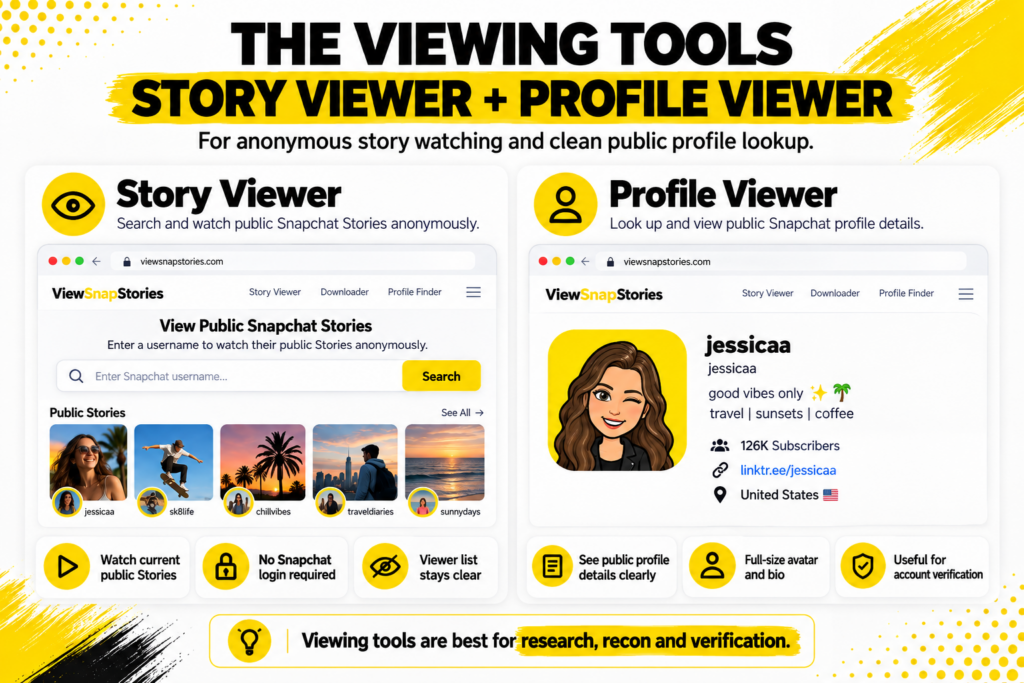
- Story Viewer.The core viewing tool for public Stories. Enter a username or paste a profile link and current Stories load without any Snapchat login. Nothing about the view attaches to your identity, so the account holder’s viewer list stays clear.
ASnapchat Story Viewer handles this in a browser without asking for any Snapchat account on your side.
- Profile Viewer.For seeing the full public profile page rather than just the Stories. Includes the Bitmoji at full resolution, display name, bio, subscriber count if the toggle is on, website link and country if the account exposed one.
ASnapchat Profile Viewer presents this data in a clean layout without Snapchat’s app-promotion overlays.
The Downloading Tools
This is where Snapchat’s deliberate design choices become most visible. The app itself provides no download button for anyone else’s content, so external tools cover the whole gap.
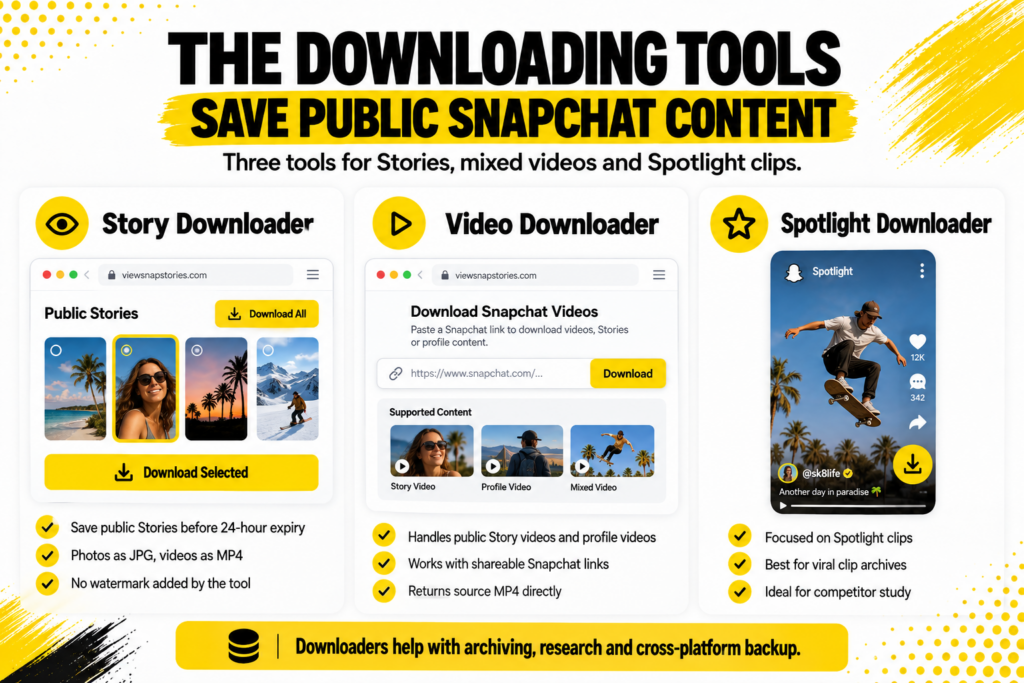
- Story Downloader.For saving public Stories to your device before the 24-hour window closes. Files land as MP4 for videos or JPG for photos, without any watermark.
ASnapchat Story Downloader handles the full flow in seconds. The account holder receives no notification.
- Video Downloader.Broader than the Story downloader. Handles Spotlight clips, public Story content, public profile posts and anything with a shareable snapchat.com link.
ASnapchat Video Downloader accepts links or usernames and returns the source MP4 file directly.
- Spotlight Downloader.Focused specifically on Snapchat’s TikTok-style short video feed. Since Spotlight is public by design and permanent by default, these are the most reliably downloadable content type on Snapchat.
ASnapchat Spotlight Downloader fits the workflow when the source is Spotlight rather than Stories or profile posts.
The Finding and Tracking Tools
The category that grew from creator and brand research use cases.
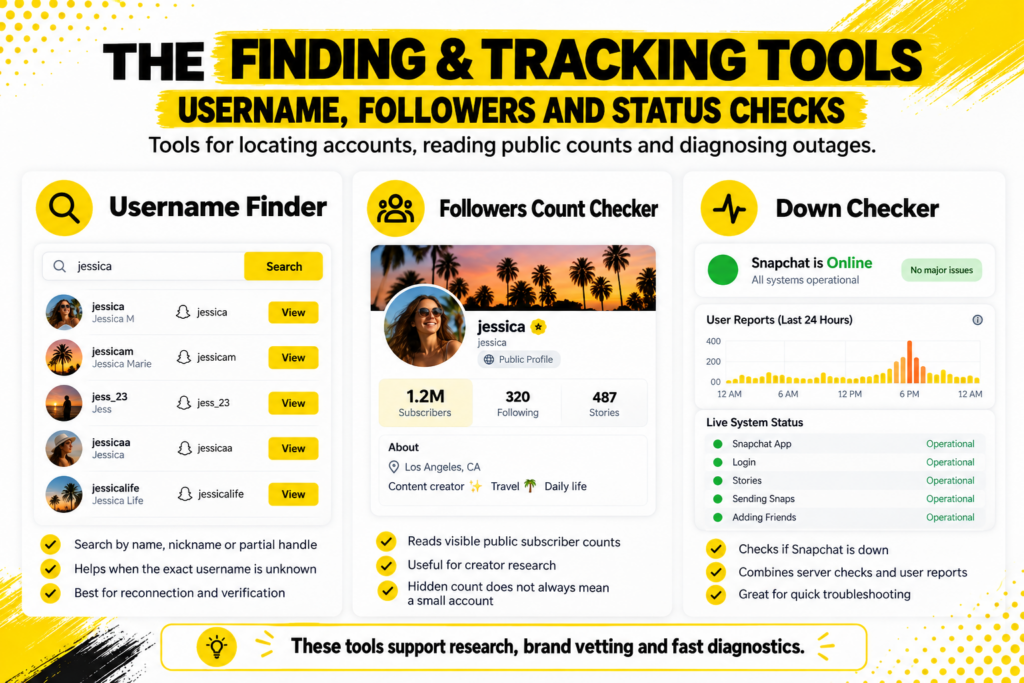
- Username Finder.For locating accounts when you have a name, nickname or partial handle rather than the exact username. Searches public Snapchat accounts and returns matching handles you can verify.
ASnapchat Username Finder handles the fuzzy matching that the Snapchat app itself does not do well.
- Followers Count Checker.For reading visible follower or subscriber counts on public accounts where the owner enabled the toggle. Returns the current live number rather than a stored figure.
ASnapchat Followers Count checker fetches this data in seconds. Snapchat’s toggle means many accounts keep counts hidden by default, so a hidden count does not always mean a small account.
- Down Checker.For the moments when Snapchat glitches out and you need to know quickly whether the problem is platform-wide or just on your device.
ASnapchat Down Checker combines automated server checks with user reports to give a clear answer within seconds.
The Common Thread Across All Eight
Different tools solve different problems, but the features that make them all safe to use are consistent.
- No Snapchat login required on your side.
- Nothing to install on your device.
- Public content only, stated clearly.
- Runs on any browser on any device.
- The account holder receives no notification.
- Files delivered without any watermark added by the tool.
These features matter because Snapchat’sthird-party apps guidance explicitly warns that unauthorised tools using login credentials can get accounts locked, sometimes permanently. Anything that asks for your Snapchat password sits in a different category entirely.
Which Tool for Which Situation
A short decision guide.
- You want to watch somebody’s current public Story anonymously.Story Viewer.
- You want the full profile page rather than just Stories.Profile Viewer.
- The Story is worth keeping and the 24 hours are burning.Story Downloader.
- You have a Spotlight link you want to save.Spotlight Downloader.
- The public content type is unclear or mixed.Video Downloader handles most cases.
- You have a name but not the exact username.Username Finder.
- You want to know how big a creator actually is.Followers Count Checker.
- Snapchat glitched out and you want to know why.Down Checker.
What Public Actually Means Here
The scope of every tool in this list stops at the same wall.
Public content on Snapchat means content the account holder chose to publish openly, either through a Public Profile setup or through Spotlight submission. Private accounts, one-to-one snaps, group chats and anything shared inside the app to specific friends stays inside Snapchat regardless of what any external tool claims.
- Every tool listed works with public accounts only.
- None of them bypass Snapchat’s privacy settings.
- None of them recover expired Story content.
- None of them ever need your Snapchat login.
The wall is where legitimate tools stop. Anything claiming to cross it is either lying or asking for credentials it should never need.
Common Use Cases Across the Toolset
The reasons people reach for browser Snapchat tools are usually mundane.
- Content research.Marketers studying what competitor Public Profiles are posting without following each one.
- Brand vetting.Confirming a creator’s claimed audience matches their public follower count before a partnership.
- Creator archives.Fans and researchers preserving public content that Snapchat itself never keeps.
- Reconnecting cleanly.Checking whether an old friend still uses Snapchat before reaching out through another channel.
- Journalism.Reporters checking public statements from public figures without an identifiable follow on record.
- Diagnosing issues.Confirming whether Snapchat is down for everyone or just for you before spending time troubleshooting.
The Spotlight Category Is Its Own Story
Worth flagging separately since Snapchat’s Spotlight documentation confirms the format is public by design and permanent by policy. That combination makes Spotlight content the easiest single Snapchat category to save reliably. Stories require timing before expiry. Profile data requires the account holder to have opted into a Public Profile. Spotlight has neither constraint.
- Spotlight clips do not expire on a timer.
- The public setting is not a toggle but a definition.
- Downloadable regardless of what the creator would have preferred.
- The June 2026 age policy change limited who can post to Spotlight but did not affect viewing or downloading existing content.
Cross-Device Consistency
One quiet advantage of browser tools over the Snapchat app.
- iPhone.Safari, Chrome and Firefox all work identically since they share the same iOS rendering engine.
- Android.Chrome, Firefox, Samsung Internet and Edge all handle the tools the same way.
- Windows or Mac.Desktop browsers show results on a bigger canvas, useful for bulk workflows.
- Chromebook or tablet.Same web experience. Nothing is device-specific.
The Snapchat app varies subtly between iOS and Android. Browser tools do not, which makes cross-device workflows genuinely seamless.
Snapchat Online Tools FAQs
Do any of these tools require a Snapchat account?
No. Every legitimate browser-based tool in this category works without any Snapchat login.
Will Snapchat know I used a third-party tool?
No. Browser tools do not touch Snapchat as an authenticated user, so no activity registers on your account or the account you looked up.
Can I use these tools on private Snapchat accounts?
No. Every tool here works with public accounts only. Private accounts publish nothing externally regardless of the tool used.
Are there any hidden fees?
Legitimate browser tools in this category are free. Anything charging upfront for a Snapchat tool before delivering anything is a red flag.
One Toolset, Eight Specific Uses
The Snapchat app was built to be minimal on purpose. That minimalism creates gaps that different browser tools fill. Story Viewer for anonymous viewing. Story and Video Downloader for saving public content. Spotlight Downloader for the specifically permanent content type. Profile Viewer and Followers Count Checker for research. Username Finder for locating accounts. Down Checker for diagnosing outages.
Nobody needs all of them regularly. But when the specific situation arises, having the right tool matters more than the general category label. The toolset covers the whole surface Snapchat itself leaves uncovered. Each individual tool takes seconds rather than minutes for the task it was built for.