Snapchat kept follower counts hidden for years by choice. The platform argued that visible numbers turned social media into a popularity contest. Only relatively recently did it let creators toggle the count on for their own Public Profiles.
That toggle is the key to the whole story. A Snapchat followers count checker reads what the toggle exposes and returns it in a browser. Understanding what shows up, what stays hidden and why the visible number varies from profile to profile explains both why the tool exists and where its honest limits are.
Quick Answer
A Snapchat followers count checker is a browser tool that shows the current follower or subscriber count for any public Snapchat account whose owner opted to display it. Enter a username or a full profile URL and the count loads in a few seconds. Works for public accounts with the visibility toggle on. Does not work for private accounts. Also does not work for public accounts whose owners have kept the follower count hidden.
Why Snapchat Follower Counts Are Different
This is the piece most people miss about how Snapchat handles social proof.
Snapchat’sofficial documentation on showing your follower count confirms that visibility is a personal choice made by each account holder. There is a Show How Many Follow Me toggle in the Public Profile settings. It is off by default. Only accounts that actively switched it on have follower counts visible externally.
- The toggle is off by default. Every new Public Profile starts hidden.
- Turning it on is a one-tap decision the account holder makes.
- Turning it back off is also one tap. Some creators toggle it on for a launch and off again afterwards.
- Private accounts have no toggle. Their follower data is not exposed anywhere externally.
So a Snapchat account without a visible follower count is not necessarily new or small. It might simply have never enabled the toggle.
What the Tool Actually Does
The mechanism is straightforward once you know how Snapchat serves public data.
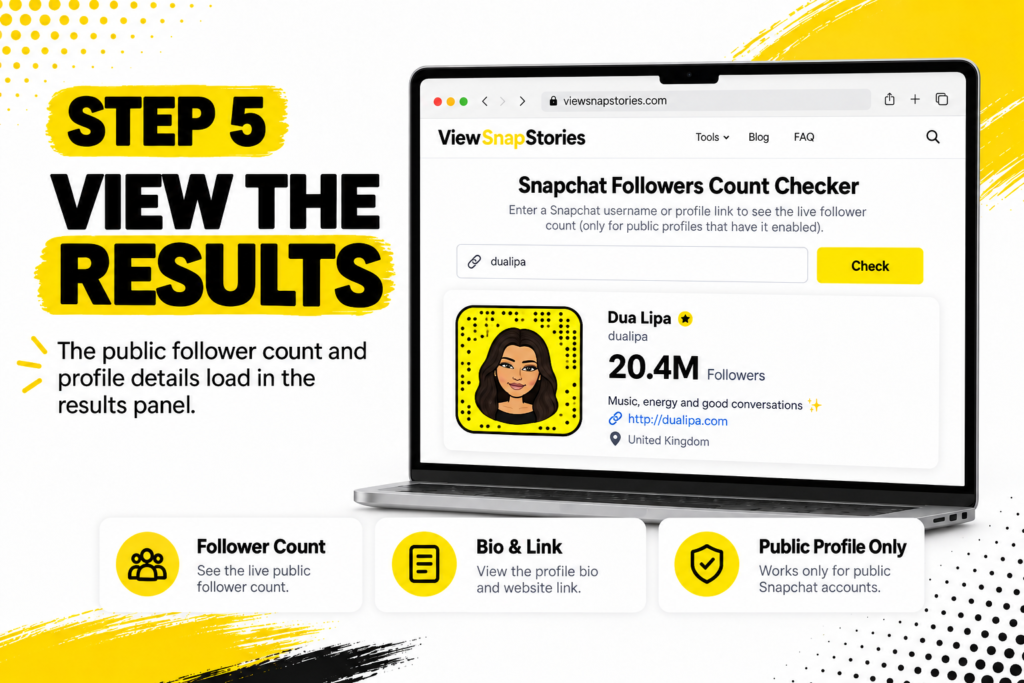
Every Public Profile has a webpage Snapchat itself publishes to the open internet. That page contains the profile’s Bitmoji, display name, bio, subscriber count (if the toggle is on), website link, country and any active Stories. A follower count checker requests that page, pulls the relevant fields out and displays them in a clean interface separate from Snapchat’s own layout.
- The tool reads what Snapchat itself publishes. Nothing is scraped from behind a login wall.
- No Snapchat account is required on your side, because no login step exists.
- The data returned is what Snapchat currently exposes at the moment of the query, not a stored copy.
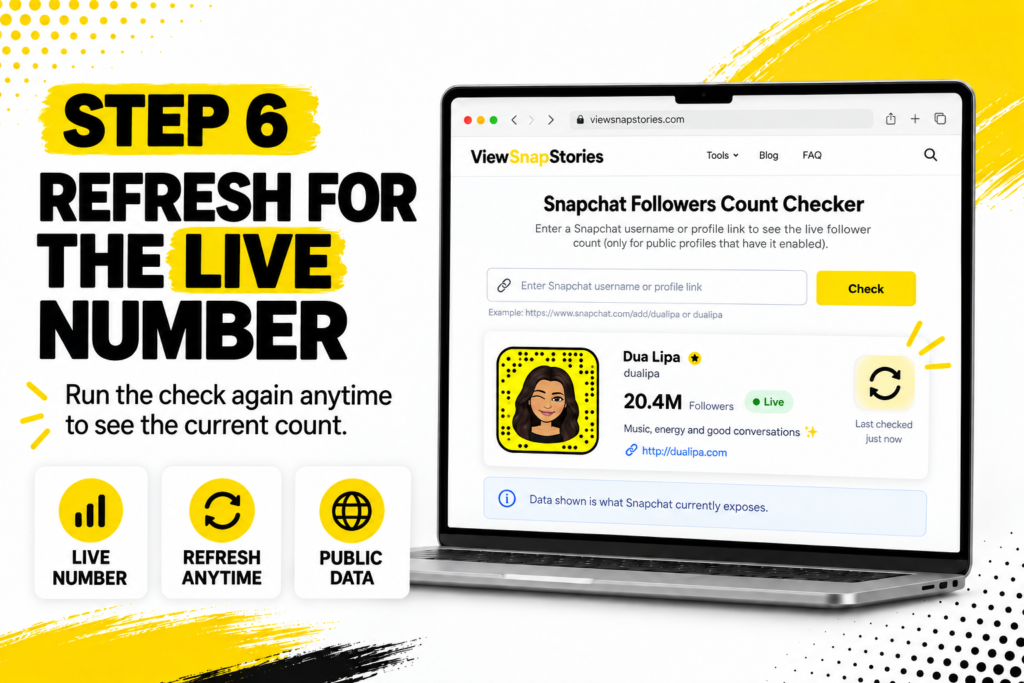
- Refreshing the page returns whatever the current live number is.
The Data You See When It Works
This table breaks down what a good followers count checker returns and when each field shows up.
| What loads | When it loads | What it means |
|---|---|---|
| Follower or subscriber count | Public Profile with toggle on | Confirmed active audience size |
| Display name | Every Public Profile | The account’s presentation name |
| Bio text | Every Public Profile | Self-description or contact hint |
| Website link | When creator added one | Link to a related site or portfolio |
| Country | When account exposed it | Rough geographic context |
| Bitmoji avatar | Every Public Profile | Visual identity, full resolution |
Not every field appears on every profile. The visibility of each depends on what the account holder chose to expose during Public Profile setup.
The Step-by-Step Process
The workflow itself is short.
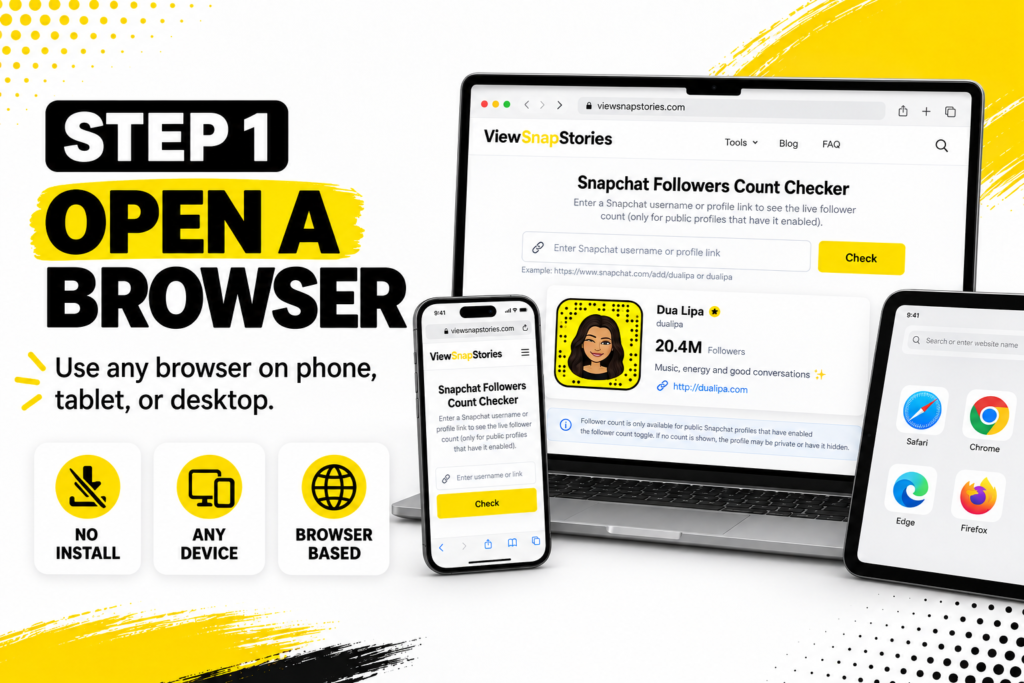
- Open a browser on any device.
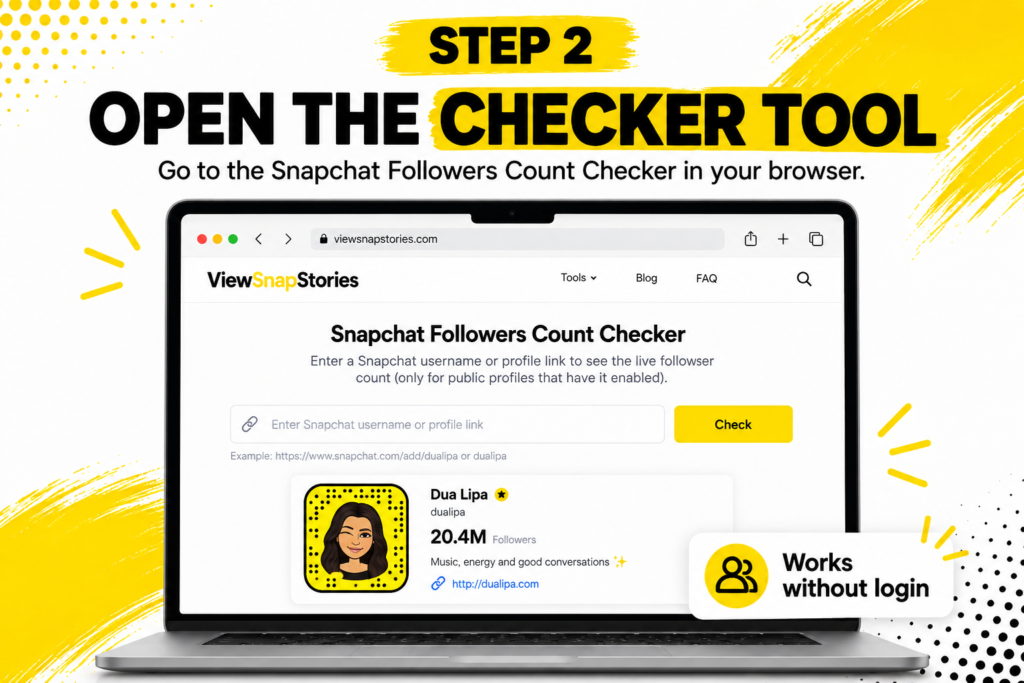
- Go to aSnapchat Followers Count checker tool.

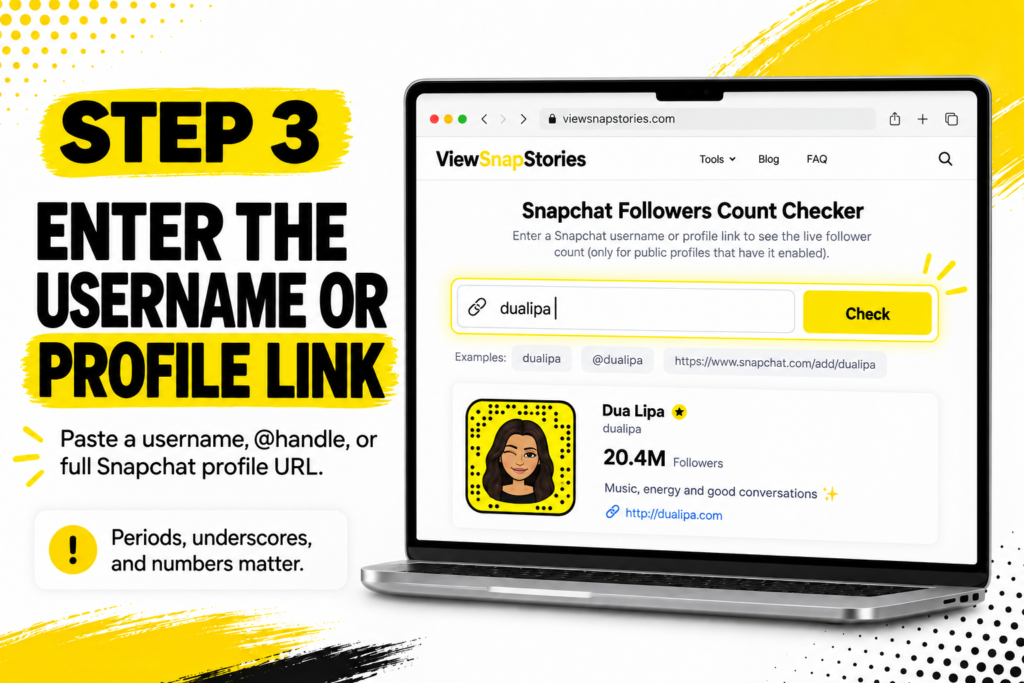
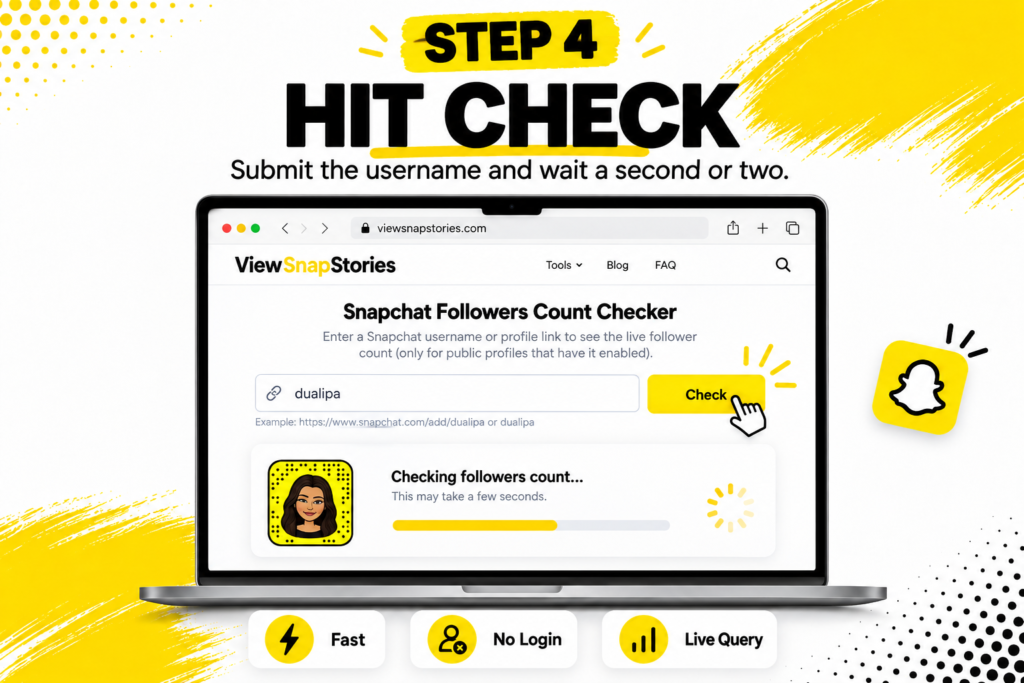
- Enter the username, the @username or a full profile link into the input field.
- Hit Check and wait a second or two.
- The follower count and other public fields load in the results panel.
- Refresh at any time for the current live number.
- No install required.
- No login on your side.
- Works identically on iPhone, Android, Windows and Mac.
- The account holder receives no notification about the check.
When the Count Does Not Load
Five reasons the tool might return no follower number.
- Toggle is off.The most common cause. The account has a Public Profile but the owner chose not to display the count. The rest of the profile data still loads.
- Account is private.Private accounts publish nothing externally, so no follower data reaches any tool.
- No Public Profile at all.The account never enabled Public Profile mode, so nothing about it is web-accessible.
- Username is misspelled.Snapchat usernames are case-insensitive but periods, underscores and numbers matter.
- Account was deleted or suspended.Removed accounts return nothing.
None of these are tool bugs. They reflect what Snapchat itself makes available to non-followers.
Why the Number Matters
The follower count is a signal, not a full picture. But it is one of the few external signals Snapchat exposes at all.
- Creator credibility.A higher visible count suggests an established creator versus a new account.
- Growth verification.Following a creator over weeks and watching the count change tells you whether the account is actively growing.
- Brand partnership research.Marketers checking whether a creator’s claimed audience matches their public number.
- Competitor benchmarking.Brands watching how competitor Public Profiles are performing over time.
- Account verification.Combined with other public data, the count helps distinguish a real account from an impersonation attempt.
A hidden count is not necessarily suspicious. Plenty of established creators never touched the toggle.
Follower Count Versus Subscriber Count
Snapchat uses slightly different language depending on context.
- Follower count.The general term. Used across creator and marketing contexts.
- Subscriber count.Snapchat’s own preferred term in some settings. Refers to the same thing: people who chose to follow the account.
- The number is identical.Follower and subscriber refer to the same underlying metric on Snapchat.
- The label may vary.Different tools and Snapchat itself use one or the other. The number returned is the same either way.
Nothing meaningful hangs on the terminology. What matters is whether the count is visible in the first place.
The Login Question Is the Safety Test
This is the fastest safety check for any Snapchat tool. Snapchat’sthird-party apps guidance warns clearly that unauthorised apps using login credentials can get accounts locked, sometimes permanently. Nothing legitimate needs your Snapchat login to read a public follower count.
- No password field.The clearest signal a tool reads public data rather than bypassing authentication.
- Nothing to install.A safe tool runs entirely in the browser.
- Public content only.Any tool claiming to reveal private accounts’ follower data is misrepresenting itself.
- Visible privacy policy.Explaining what happens to the usernames people search.
Public Profile Setup for Context
For anyone thinking about their own follower visibility, Snapchat’soverview of Public Profiles covers the setup. A Public Profile requires a few steps beyond a personal account. Once created, the toggle for follower visibility lives inside its settings.
- Public Profiles are available to accounts aged 16 and over by default.
- Setup takes a few minutes and involves choosing a bio, cover photo and content preferences.
- The follower visibility toggle sits inside the Public Profile settings, not the general account settings.
- The toggle affects only how the count appears to non-followers. Your own view always shows the number.
Common Use Cases That Are Practical
The reasons people check follower counts are usually mundane.
- Brand partnership vetting.Verifying a creator’s claimed audience size before committing to a paid collaboration.
- Competitor tracking.Following how competing brands or creators are growing on Snapchat over time.
- Personal research.Checking how established a creator is before deciding to follow them.
- Growth benchmarking.Comparing your own count to accounts in the same niche.
- Portfolio building.Documenting your growth over time using screenshots or spreadsheets.
- Journalism.Reporters verifying public follower claims made by public figures.
Cross-Device Behaviour
Where a browser follower checker runs.
- iPhone.Safari, Chrome and Firefox all work. Results display the same way.
- Android.Chrome, Firefox, Samsung Internet and Edge all handle the checks identically.
- Windows or Mac.Desktop browsers show results on a bigger canvas. Useful for comparing multiple accounts.
- Tablet.Works the same as phone browsers. The mobile-first design of the tool scales fine.
The consistency across devices is one of the quiet advantages. Snapchat’s own app varies subtly between iOS and Android, but a browser tool looks identical everywhere.
Snapchat Followers Count FAQs
Will the account holder know I checked their follower count?
No. Snapchat does not notify anyone when their public data is accessed through external tools.
Can I see the follower count of a private account?
No. Private accounts do not expose follower data through any external route.
Why does a big creator show no follower count?
They never enabled the visibility toggle. Snapchat keeps follower counts hidden by default, so accounts that never opted in stay hidden regardless of actual size.
Is the number returned live or stored?
Live. Each check queries the current public data at that moment rather than pulling from a cache.
One Toggle, One Public Number, One Fast Check
The whole story of Snapchat follower counts comes down to one design choice by Snapchat itself. Counts are hidden by default and appear only when the account holder actively chose to reveal them. A follower count checker reads what Snapchat itself publishes in that scenario and displays it cleanly in a browser.
When the count is visible, the tool returns it in seconds. When it is hidden, no external route reveals it. Any tool claiming otherwise is either lying or asking for credentials it should never need. The mechanism is simple, the limits are honest and the workflow takes under a minute from start to finish.